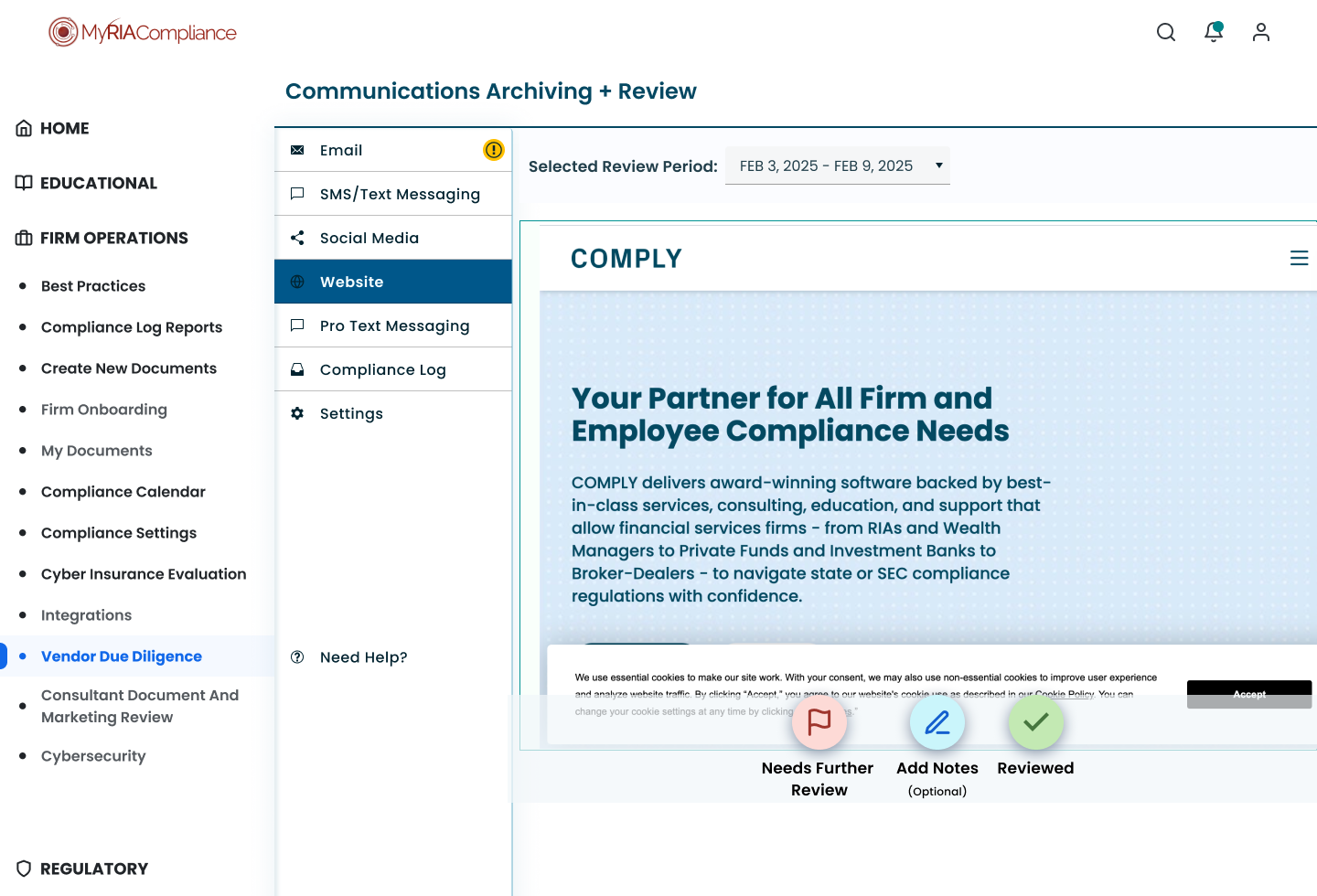
Redesign: Communications Archiving
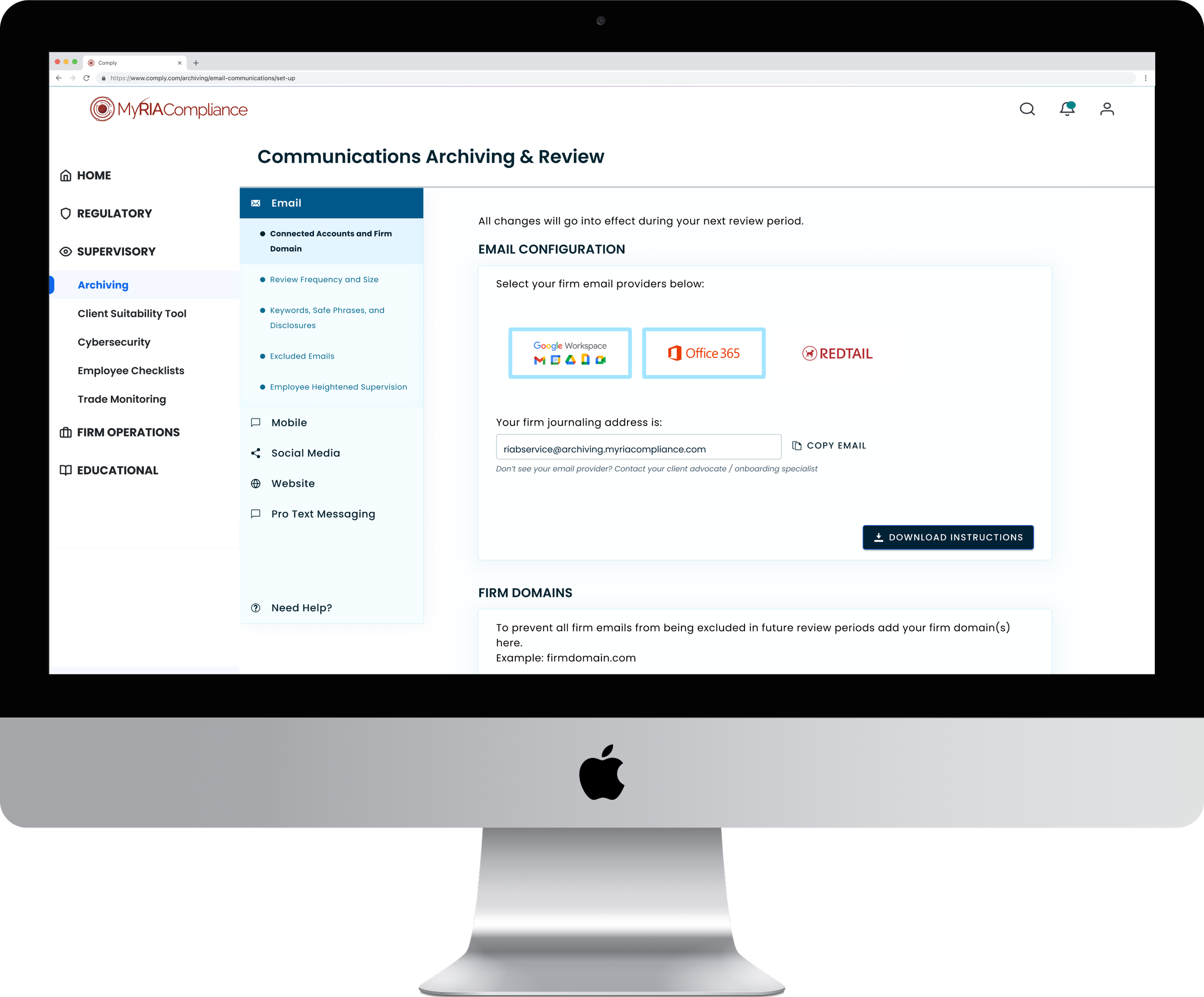
Large scale redesign project executed through fluctuating business needs.
Client
Comply
Team
1-3 Designers
Duration
Q3 2024 – Q1 2026
Roles
Sketching, Workshopping, UX, Copywriting, QA Testing
Overview
Completely redesigning a new but powerful tool within the Comply ecosystem. Though archiving was becoming a leading revenue generator, clients were struggling to understand and utilize it to its fullest potential due to years of adding features without design leadership. There were also several features missing that clients expected to have in a compliance archiving product. Working closely with a junior product manager, we redesigned the entire product offering to make important user experience improvements while also updating the visual design to maintain consistency with updated branding. Not one time, but twice over.
The Challenge and Objective
The wildly successful Archiving product grew quickly over the years since it was launched, with features continually added on to it to fulfill customer needs. Because of this, by late 2024 there were many different components and styles throughout the product offering. Comply’s internal teams were also struggling with constant support calls and troubleshooting issues within the platform. Though a powerful tool, only the most advanced super users understood how to interact with it in order to get the results they needed. Our goal was to add essential features while updating the look and feel of archiving to be consistent with current company branding and reducing major pain points for clients. Some had used a specific platform for years and were now expected to interact with a completely different offering within the same environment. How could we design under a constantly shifting brand identity? How do we create an interface that’s more intuitive for customers when there is no clear visual language to pull from?
The Design Process
Double Diamond framework
Discover
One of the first things completed was a competitive feature analysis. After which, it was clear what the standard coverage was for text message archiving, a feature Comply (via MRC) didn’t yet offer support for.
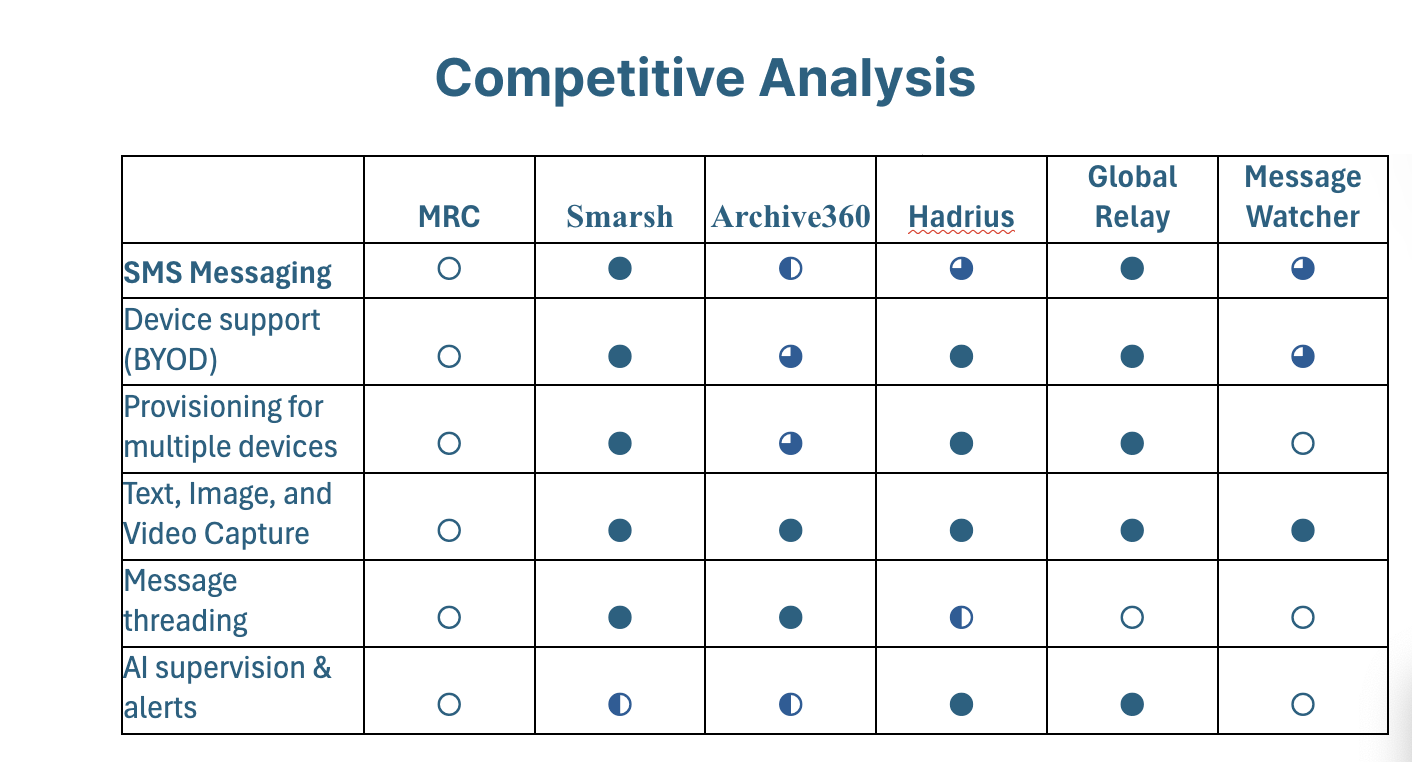
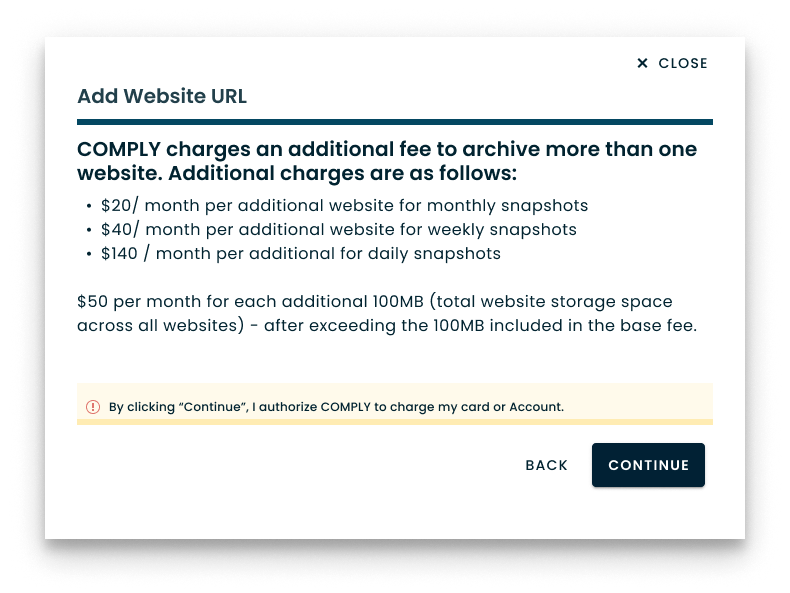
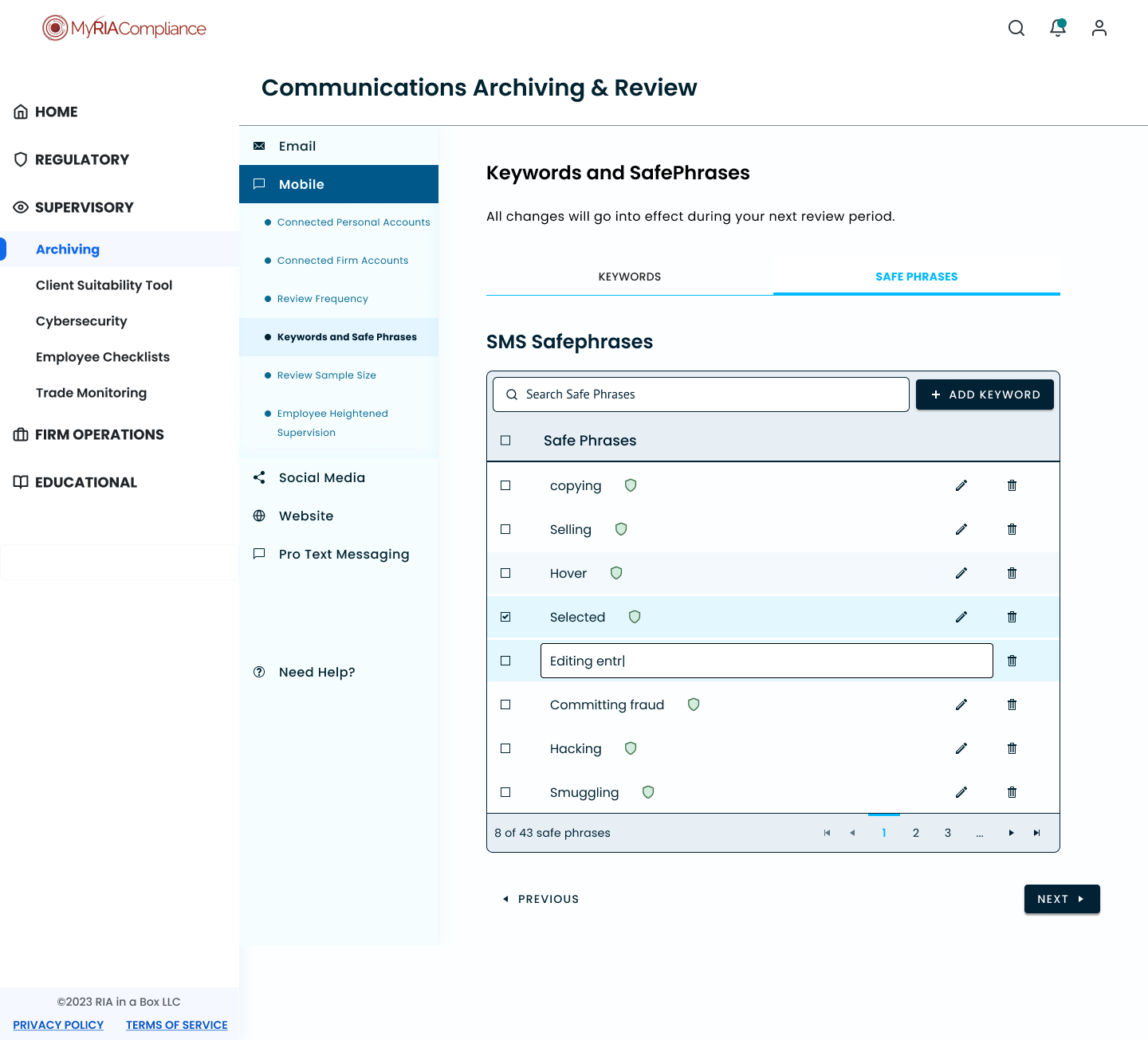
MRC, the product operating under Comply, had email, website, and social media support for archiving. However, it was lacking text messaging and the growing importance of this communication type in business. Almost all other competitors were offering coverage for this communication type and for others. Text messaging archiving thus became a major focus design wise that would require a few brainstorms to figure out.
We also analyzed Pendo website analytics and saw that out of 1000s of clients, only a few hundred were making it to important pages within the product, sometimes less than 100.
In order to get a deeper understanding of the product and users’ experiences with it, I conducted a service safari of Archiving. I always do this detailed walkthrough with documentation within Figma as it’s something I reference as I sketch and ideate screens and UI components.
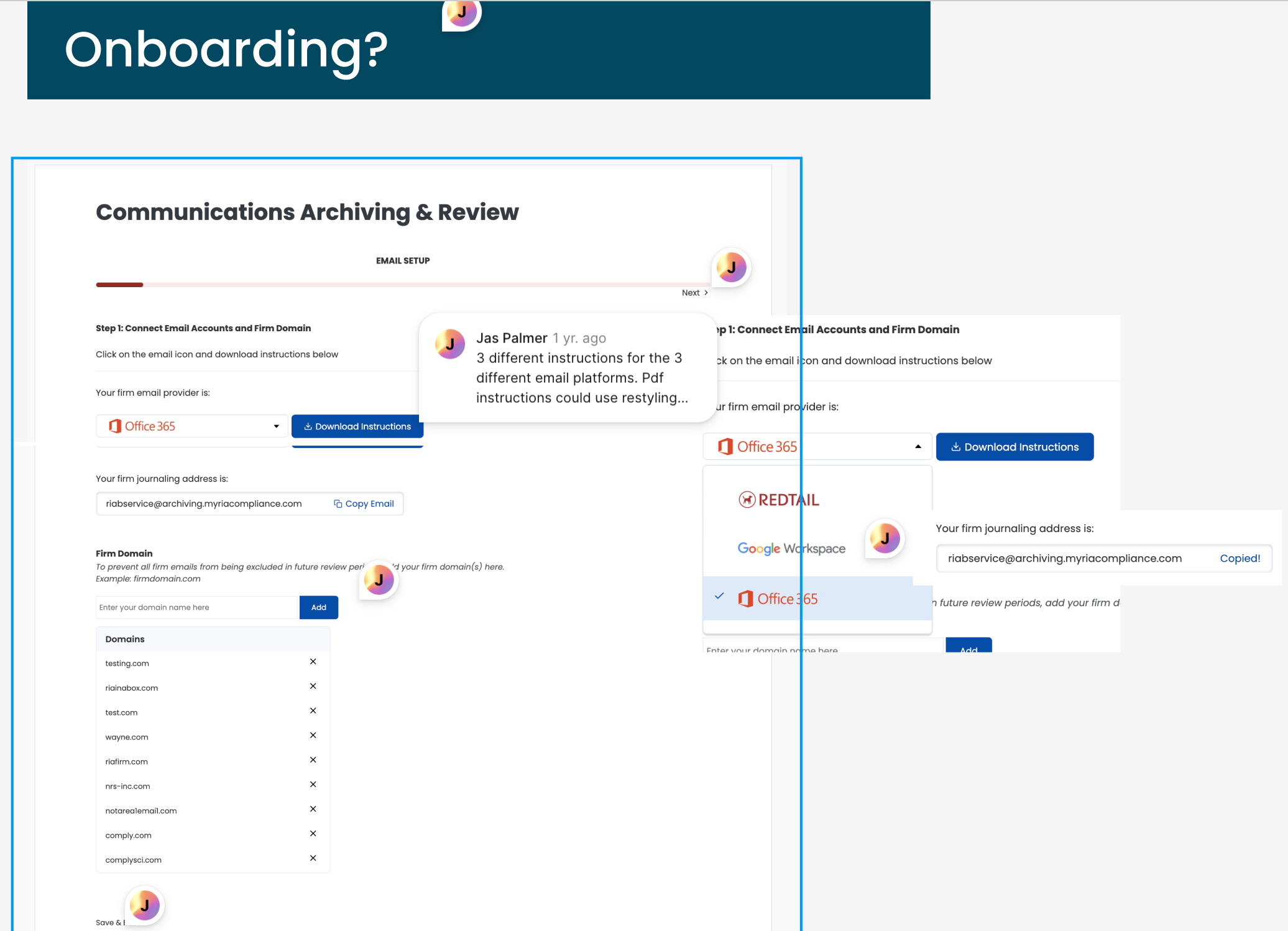
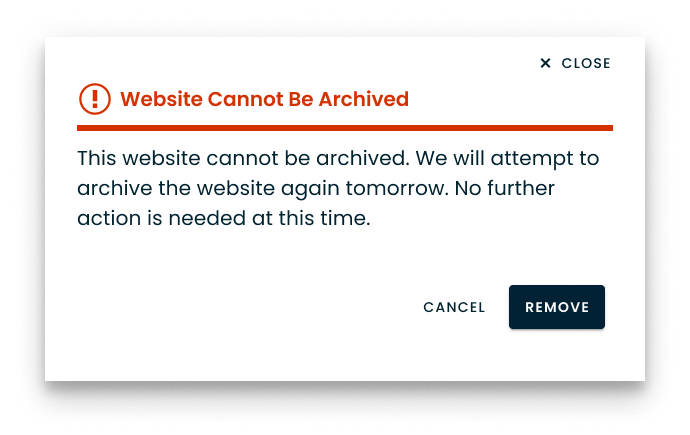
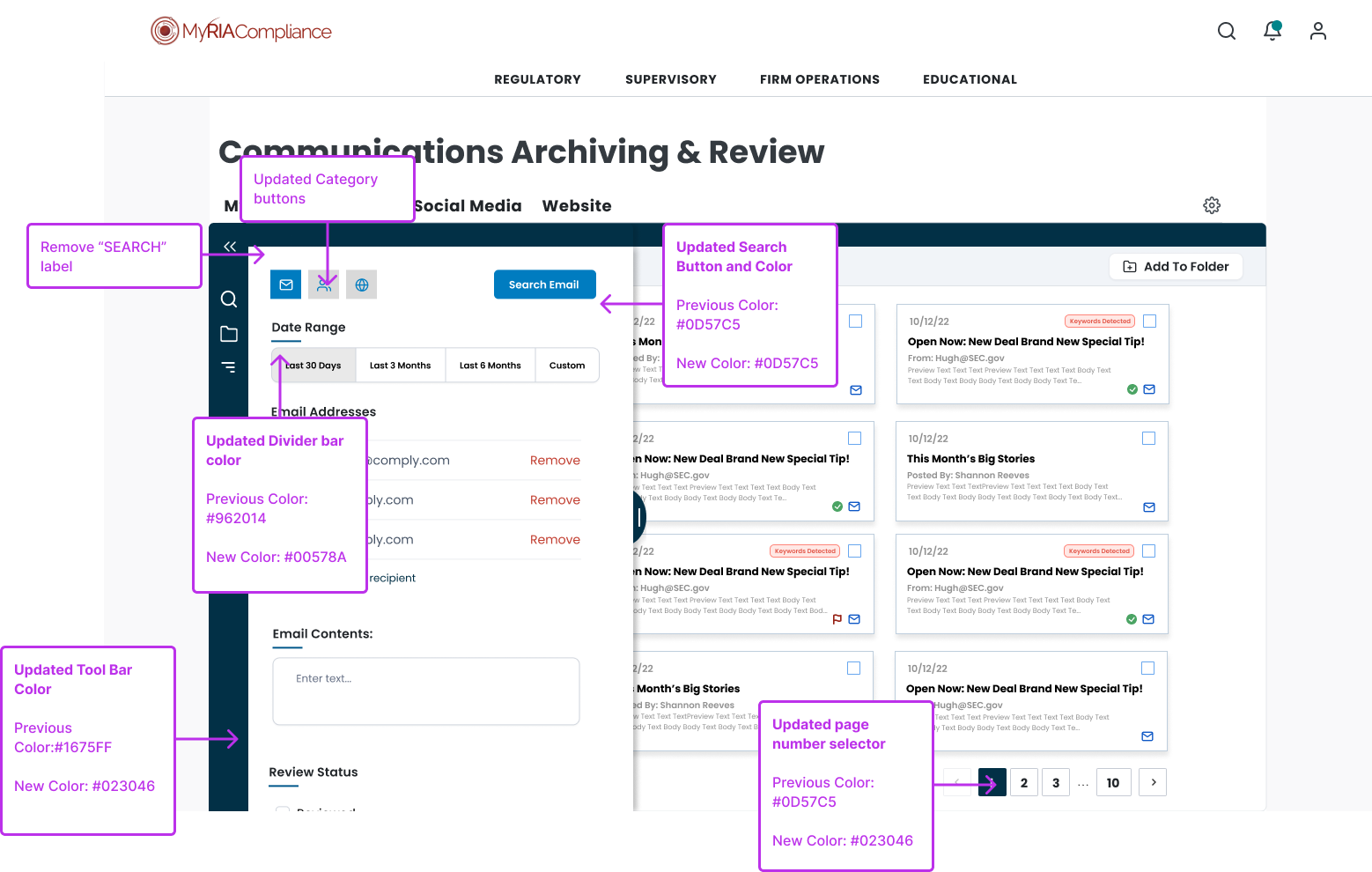
The service safari revealed inconsistent patterns within this product and general inconsistencies with the Comply platform as a whole. Buttons didn’t always give positive feedback to show that there was an interaction. Different pages had very different UI components, and even when similar their locations would differ drastically. Some pages only had a single toggle while others had multiple tab views, tables and drop downs. One of the worst constant offenders was how often an item was opened in the current tab. Archiving was a complex activity that necessitated heavy multitasking. Anything that disrupted that flow was an immediate irritation and it happened constantly.

“Whatever it is, the way you tell your story online can make all the difference.”
— Quote Source
Define
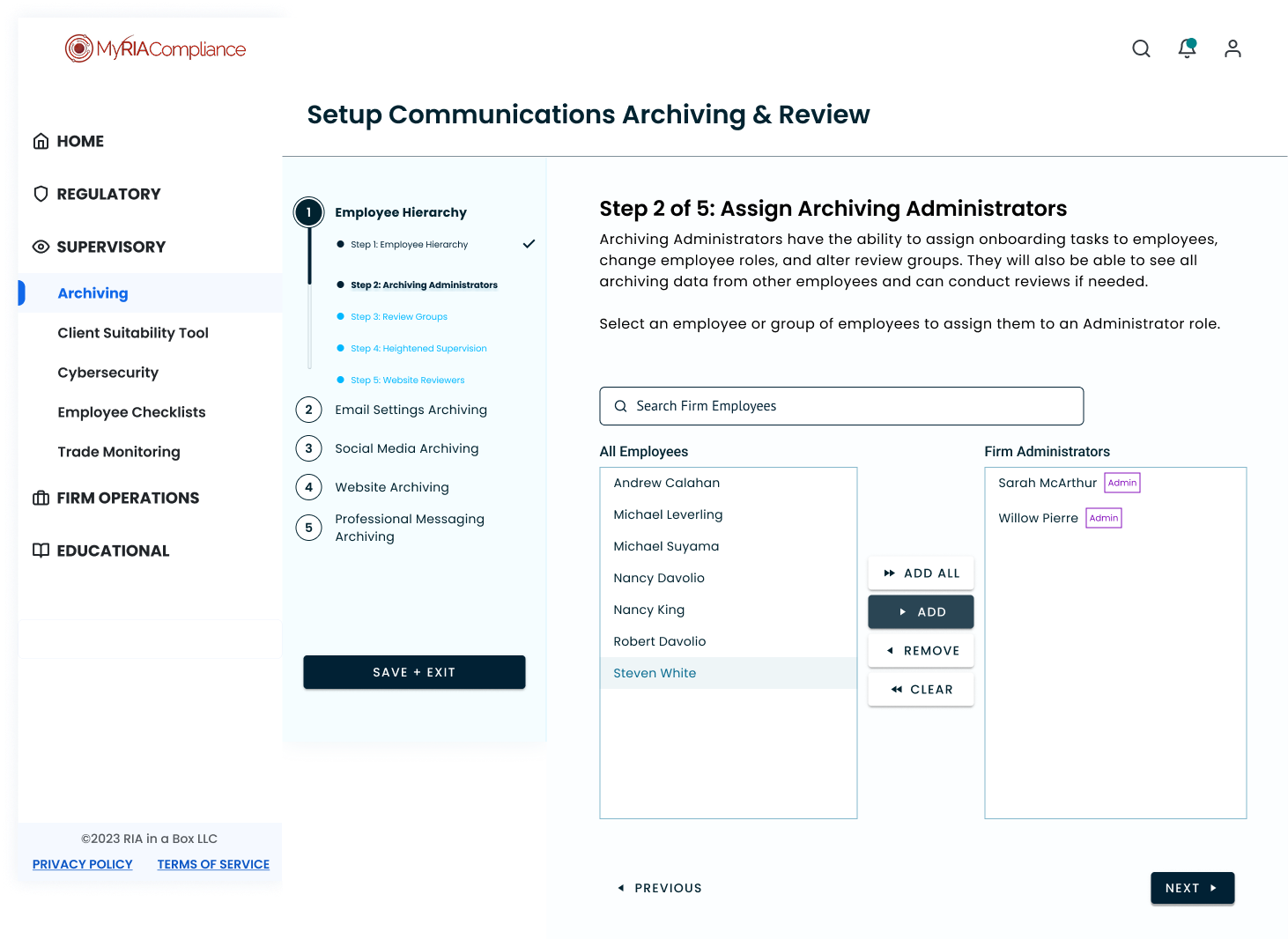
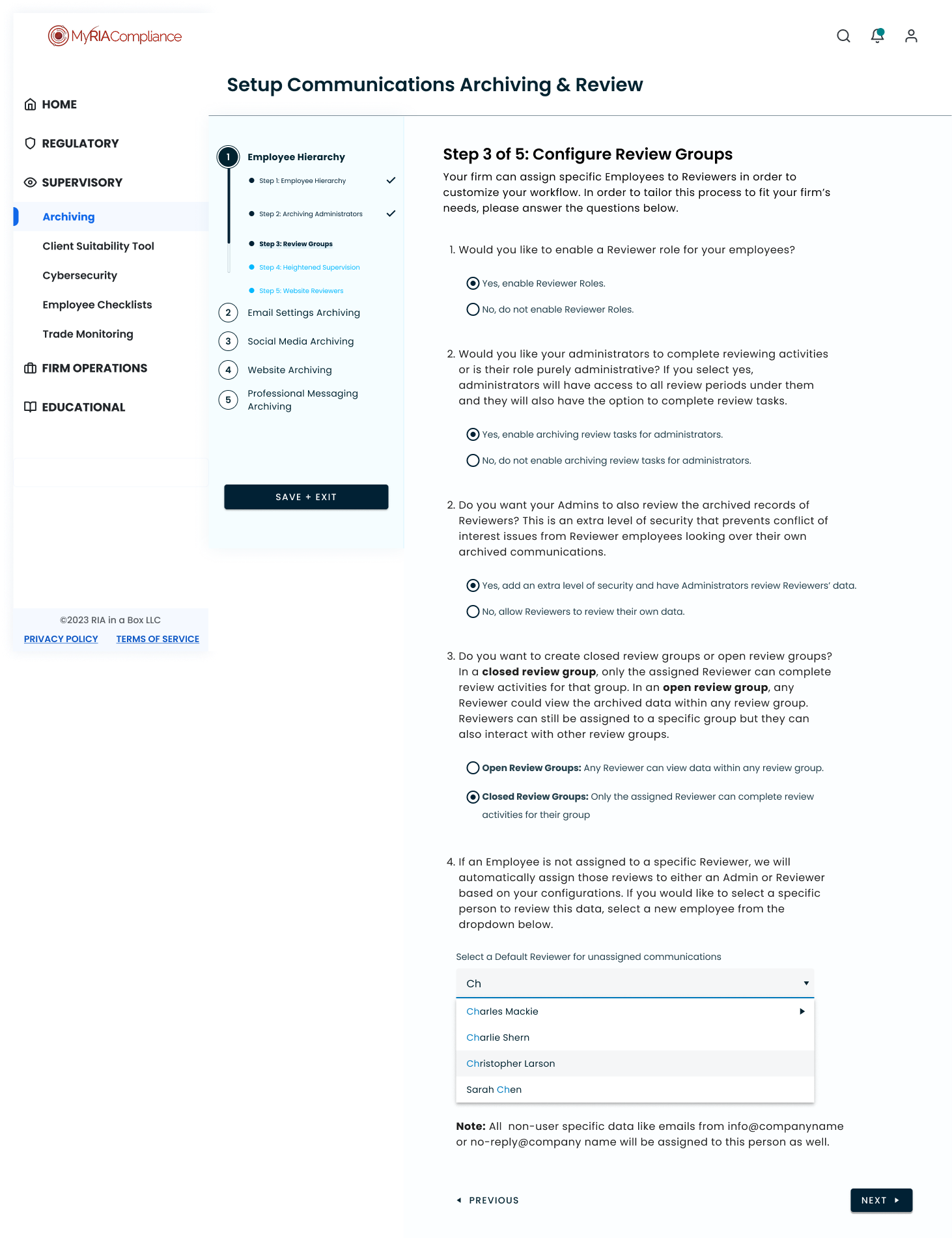
To further define our problem and goals, we workshopped together in Figjam and discussed the features we needed, what functionality was required, and any limitations to consider. We paid extra attention to brand new features, including text messaging, administrative hierarchy, and an advanced search tool.
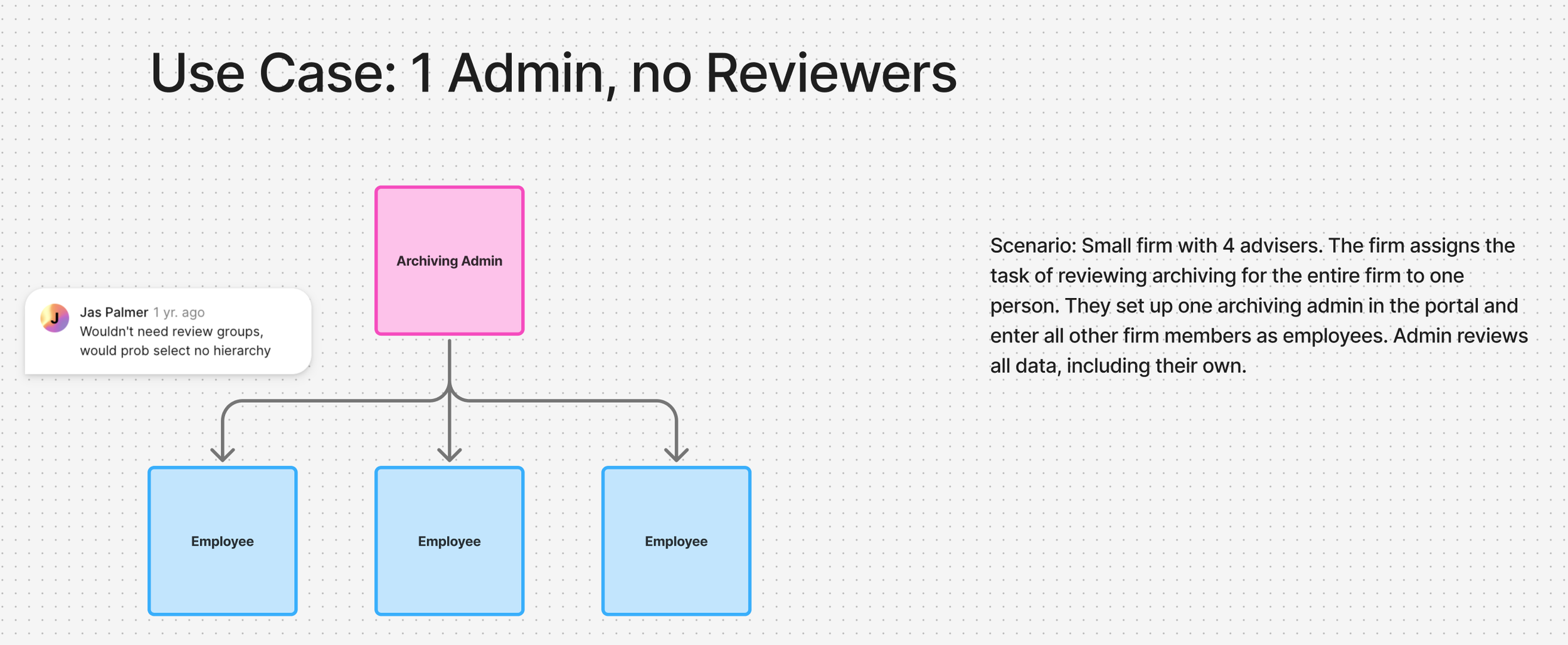
A sample from our Admin Hierarchy brainstorm. We met many times over this new feature to make sure we were covering all user needs and use cases.
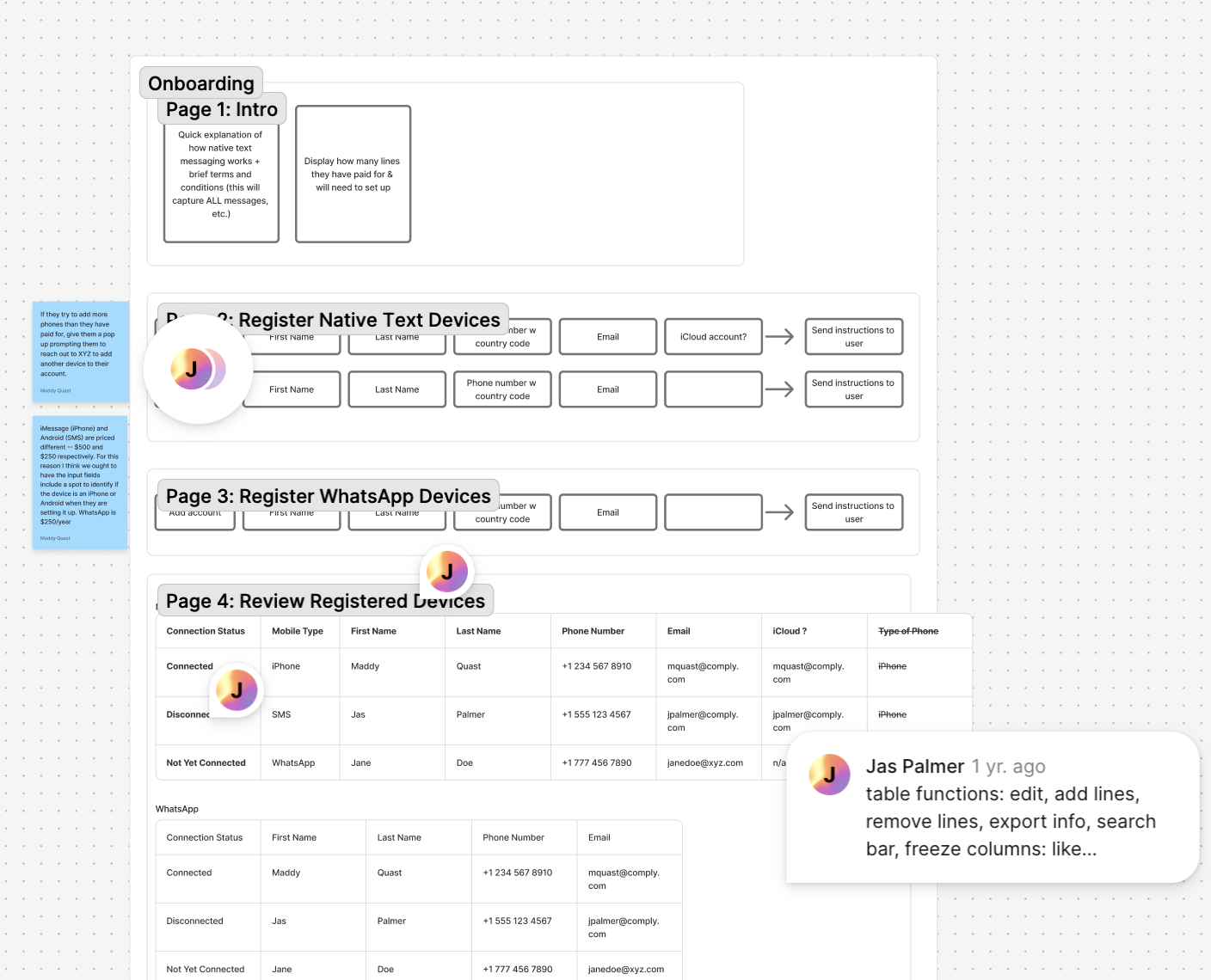
Working out text messaging as a new feature. Diagramming in this way helped me to understand what components were needed.
Due to business needs, we cycled through the defining and developing stages several times for the different archiving features. Our overall goals stayed consistent, but there were struggles acquiring reliable third party vendors for some functions, especially text messaging. This impacted development timelines as several times I had to stop midway through working on one feature to switch to working on another. Regardless, my coworkers and I were able to push through this challenge by remaining flexible with our communication, adding meetings as necessary, meeting one on one, workshopping, or even having online coworking sessions as a remote team. We did it all!
“Whatever it is, the way you tell your story online can make all the difference.”
— Quote Source
Develop
I created a simple site map and early mockups to help visualize the new features we wanted to add. There were a few components that I wanted to rethink as well. I knew that this complicated product should have as much consistency as possible in order to begin to build that clear visual language that would allow people to intuitively interact with archiving.
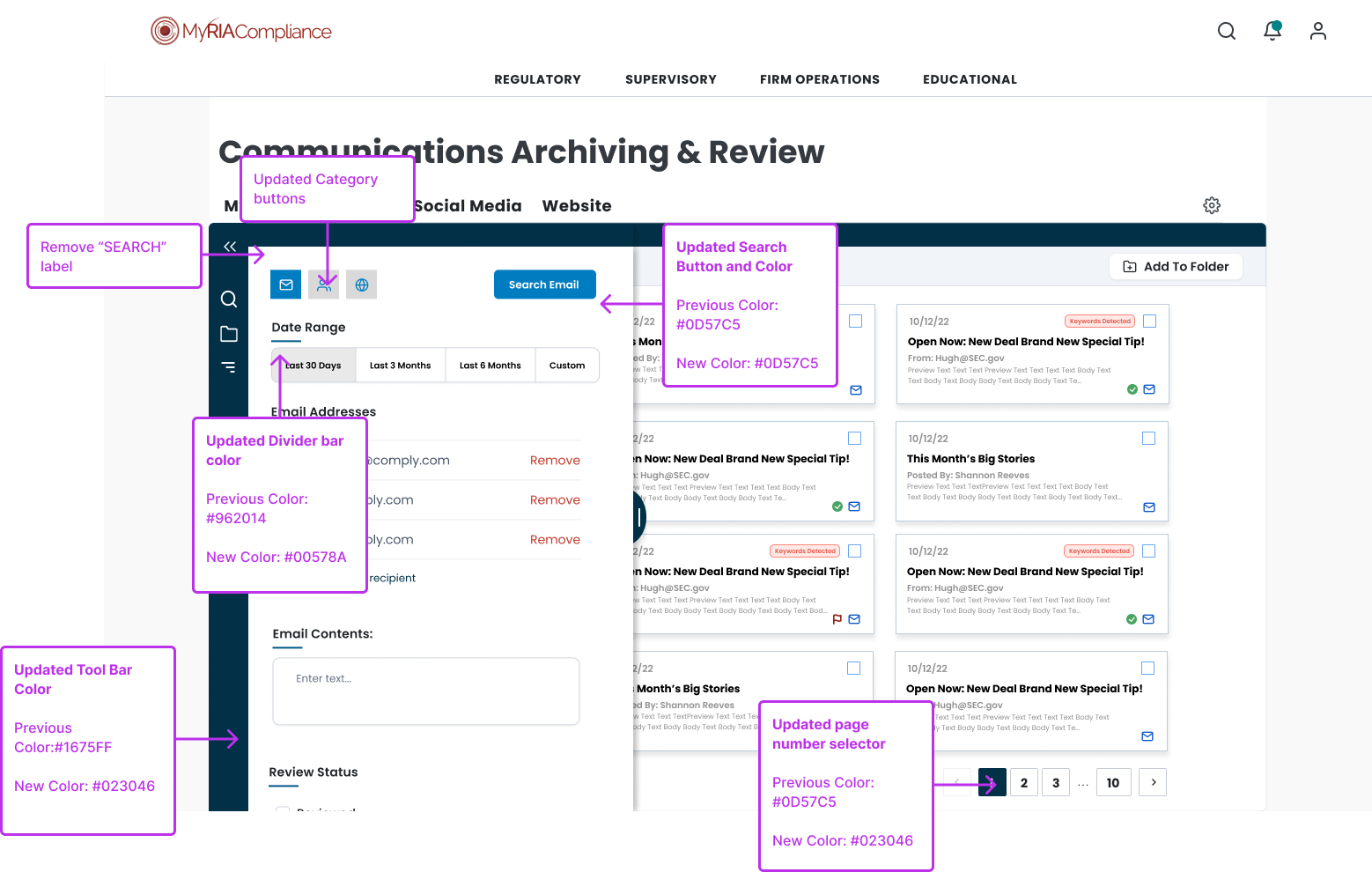
Besides building new features, my other main design goal was to generally modernize the interface and bring all components in line with current best practices. Having existed for over 15 years, many of the products on MRC were antiquated. Archiving was created much more recently, but it was created with a rudimentary design library. There was nothing consistent about component padding, font size, lengths or widths, everything needed adjusting. I applied auto layout incessantly to begin to normalize measurements and allow for some responsive design.
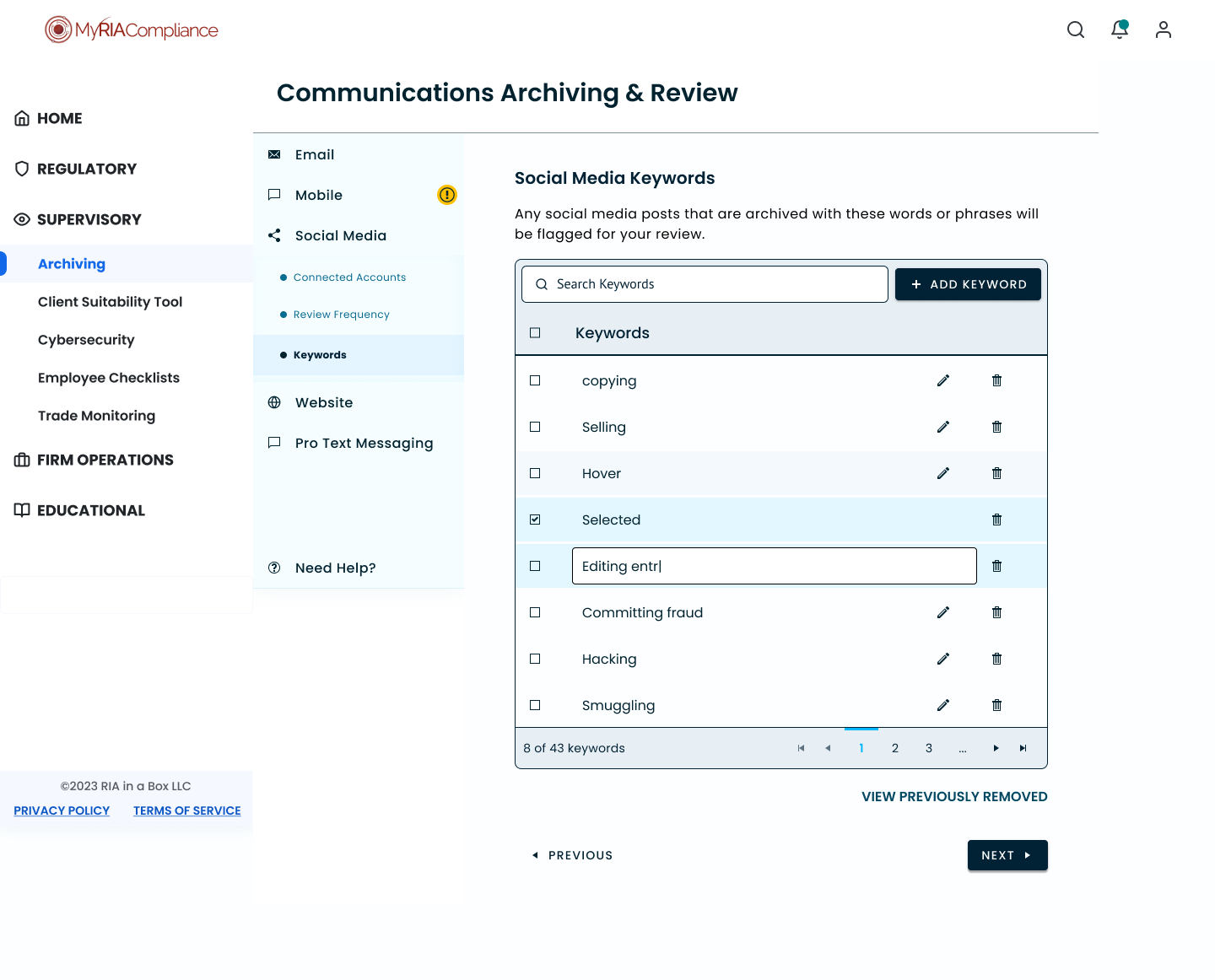
I immediately tackled table design across the Archiving platform. The archiving platform was also rife with tables of various sizes, so for my own sanity I knew I needed to standardize it and create a new figma component. I also met with the 2 other designers in Comply who focused on what were previously Complysci pages. Through our conversations, I confirmed that the tables dealt with similar data sets on both platforms. It made me think that this could be the perfect opportunity to create a hybrid table that could work for both platforms.
It’s important to note that the company had completed a merger and acquisition 2 years previously, but there hadn’t been much work done uniting both design libraries. I wanted to create a hybrid table that could work for either platform as we transitioned to one branding identity.
The idea was to update similar components across both platforms to one design that would exist on both sites. This would improve consistency and reduce cognitive load for clients with access to both platforms. It would also help improve development time as previously each table was built individually on MRC.
There were two main platforms within the one company so I first referenced the most common table styles across both.
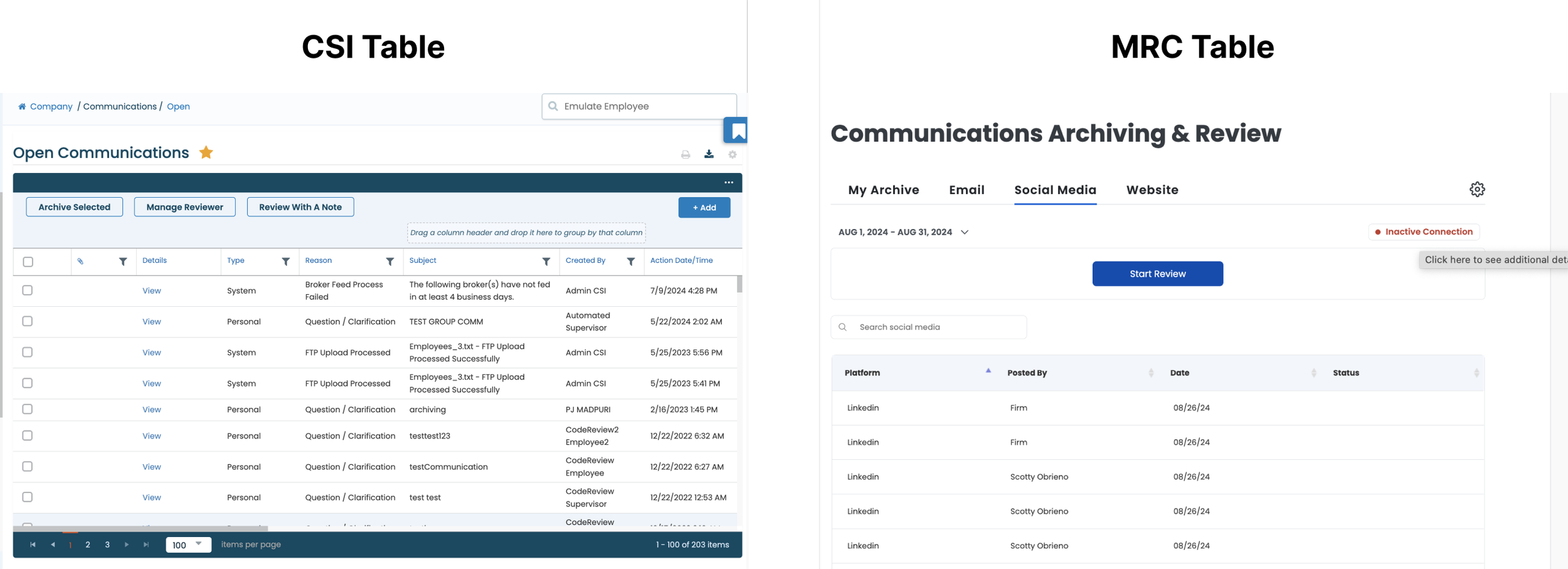
Though different, there were similar actions and functions in each table such as downloading or exporting. Dates and employee names were commonplace, as were pagination or table filters. Archiving didn’t have the most complex tables on MRC, and MRC’s tables weren’t as advanced as CSI’s. The most important thing is that the types of data in their tables were similar so the only real difference was how complex we needed a table to be.
When it came time to design, I mainly used the features from the more robust CSI table. I started with a complex table and hid layers with certain features to create simpler variations of it. In doing so, I created a hybrid that could work for either platform as we transitioned to one branding identity.
The idea was to update similar components across both platforms until eventually one design would exist on both sites. This would gradually improve consistency and reduce cognitive load for clients with access to both platforms. It would also help improve development time as previously each table was built individually on MRC and on Complysci.
Although I had access to CSI’s style guide, it was transferred from Sketch to Figma and there were quite a few issues with the transfer. Instead, I rebuilt each table component using the UI Toolkit we adapted as a design system.
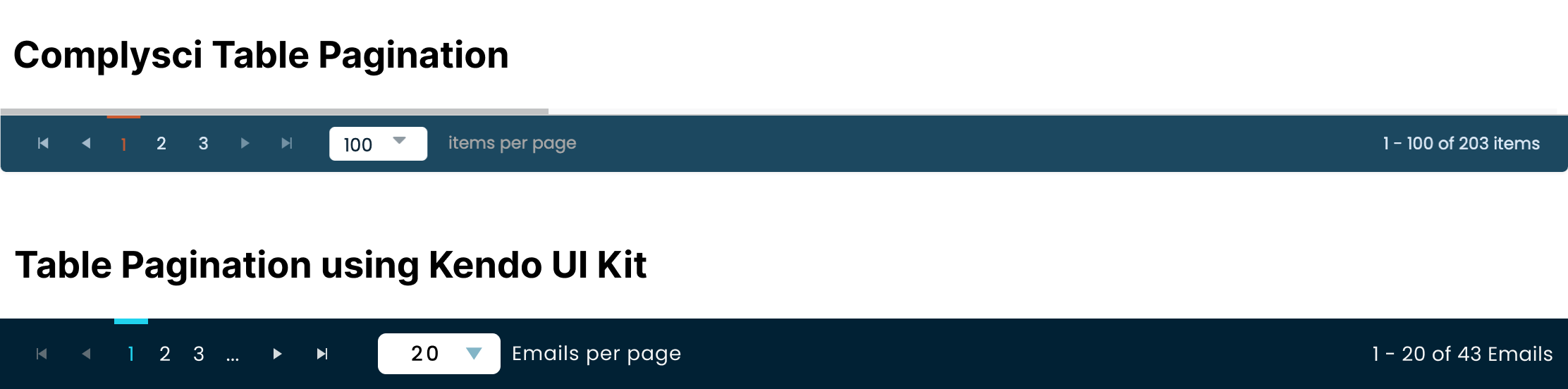
As always, I experimented with a few iterations of what pagination could like. Rather than copying the elements from the Telerik Kendo UI kit as is, I always adapted the components to fit Comply’s needs. Even with a standard UI kit, we were able to achieve a bespoke look and feel for a highly specialized service. I also went with a higher contrast teal and pale blue.

Ultimately, I chose to go with the latter version; a slightly different layout for pagination than what we had on CSI. Instead of prioritizing table view and data size, I instead prioritized a high level view of the data in the table and moved it to the left hand side. Because Archiving would exist on the MRC platform, I chose the table view that would prioritize information about what the user was seeing. MRC also had far smaller firms that wouldn’t have lots of pages of information to sift through.
There were literally dozens of table variations on both main platforms. Simplifying these designs to one shared design with interchangeable components. No matter how complex or simplistic, the tables would all have similar components in the same locations across all platforms in time.
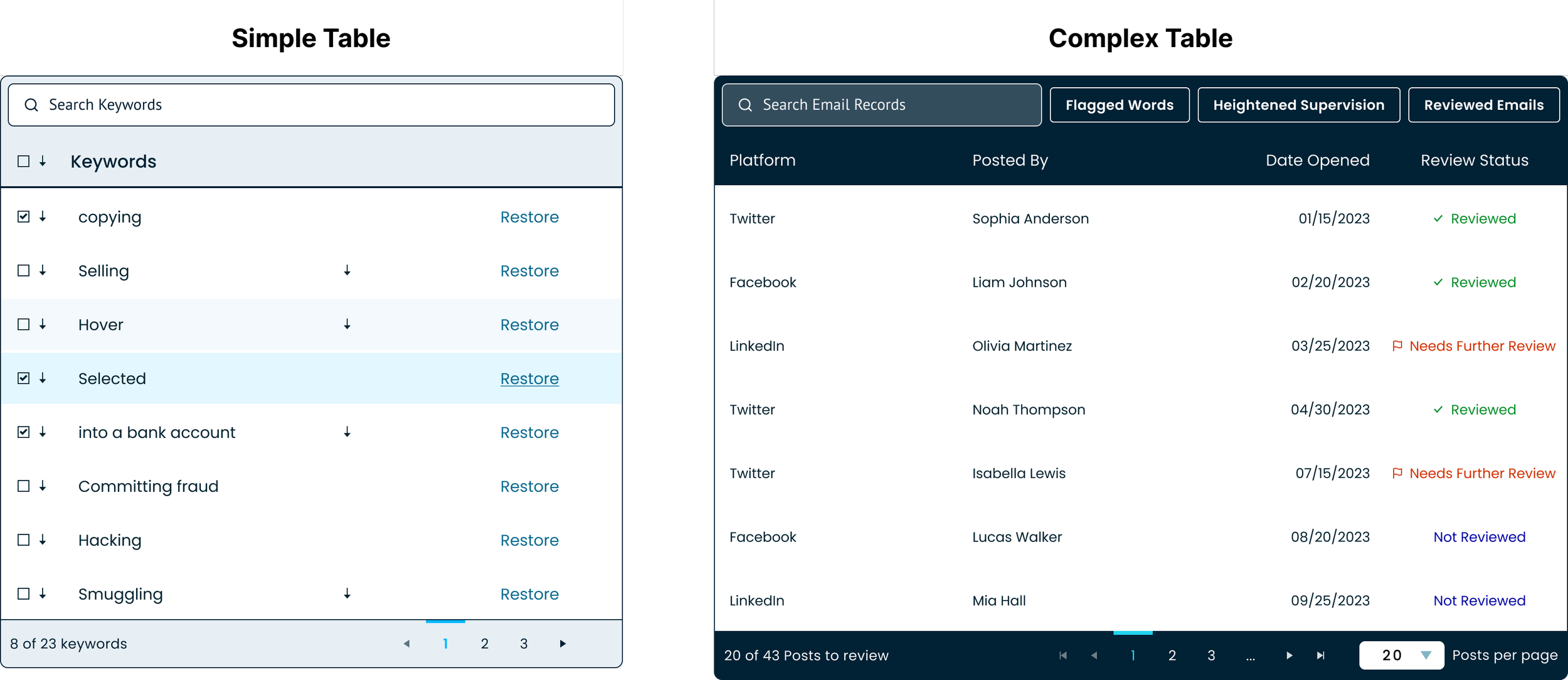
This updated table was soon incorporated as the newest template in Comply’s newest design system. I worked with another designer to create the component in Figma and we both started using it in our designs for future releases.
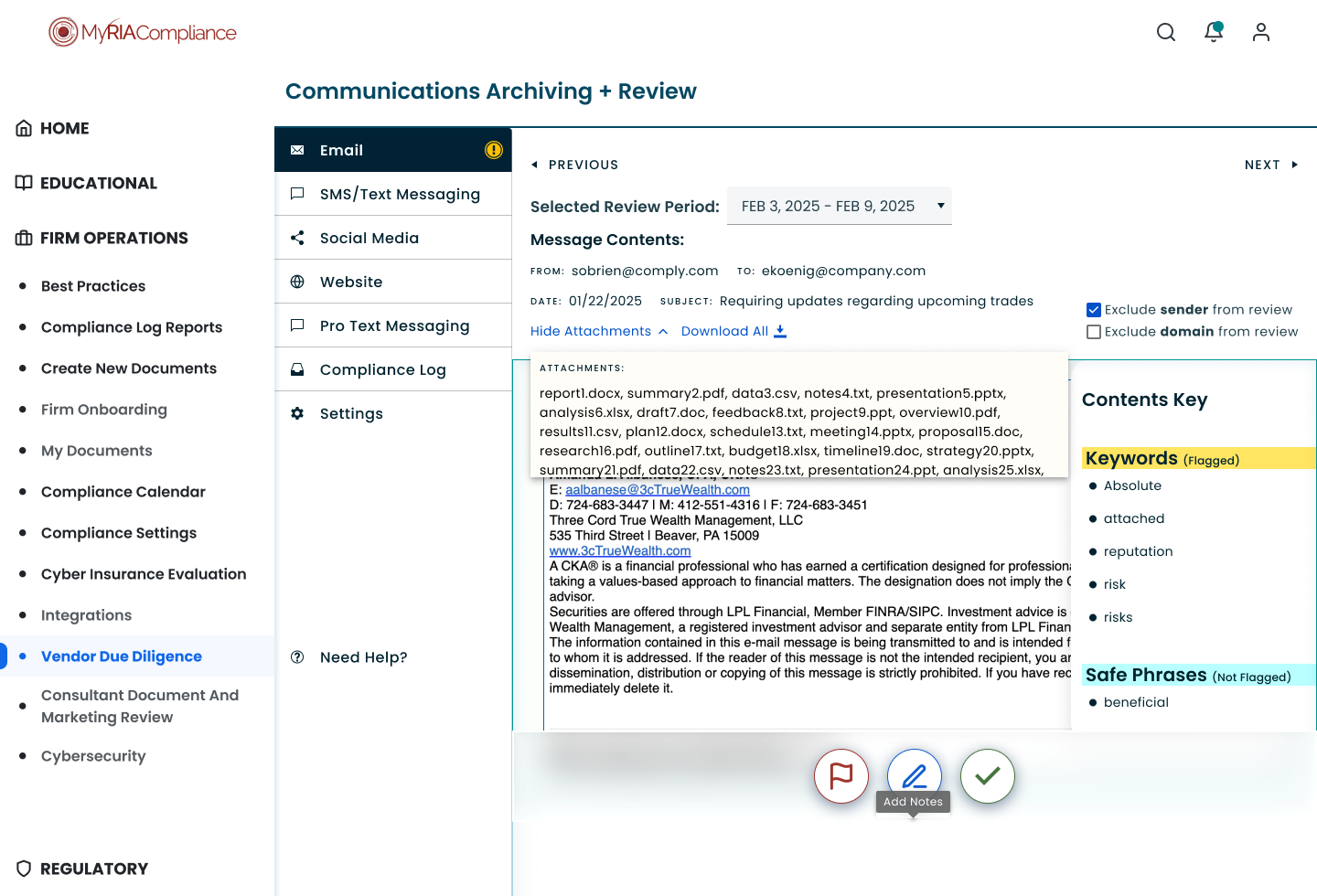
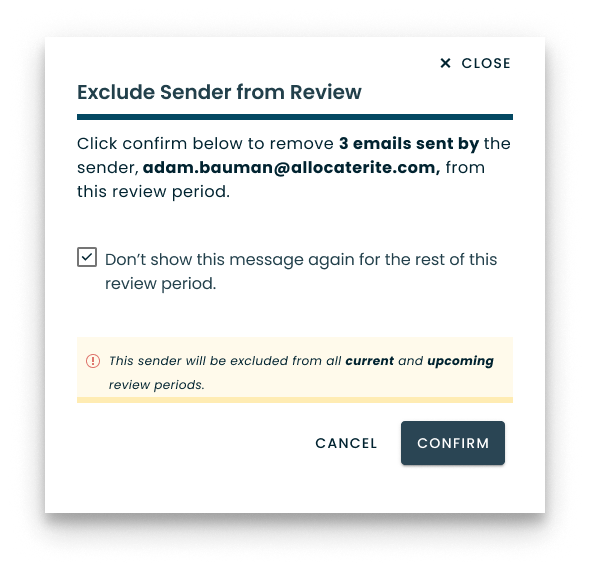
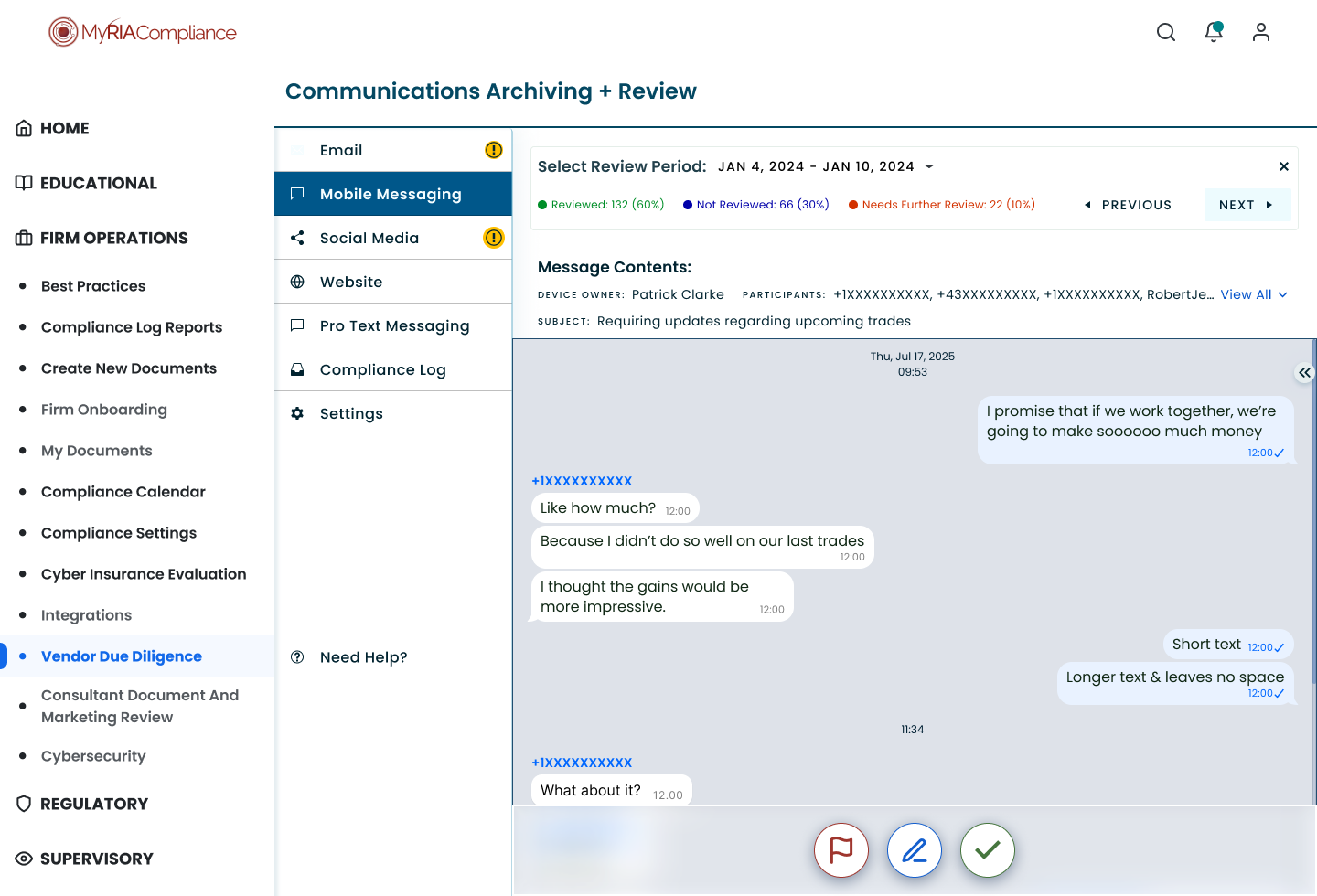
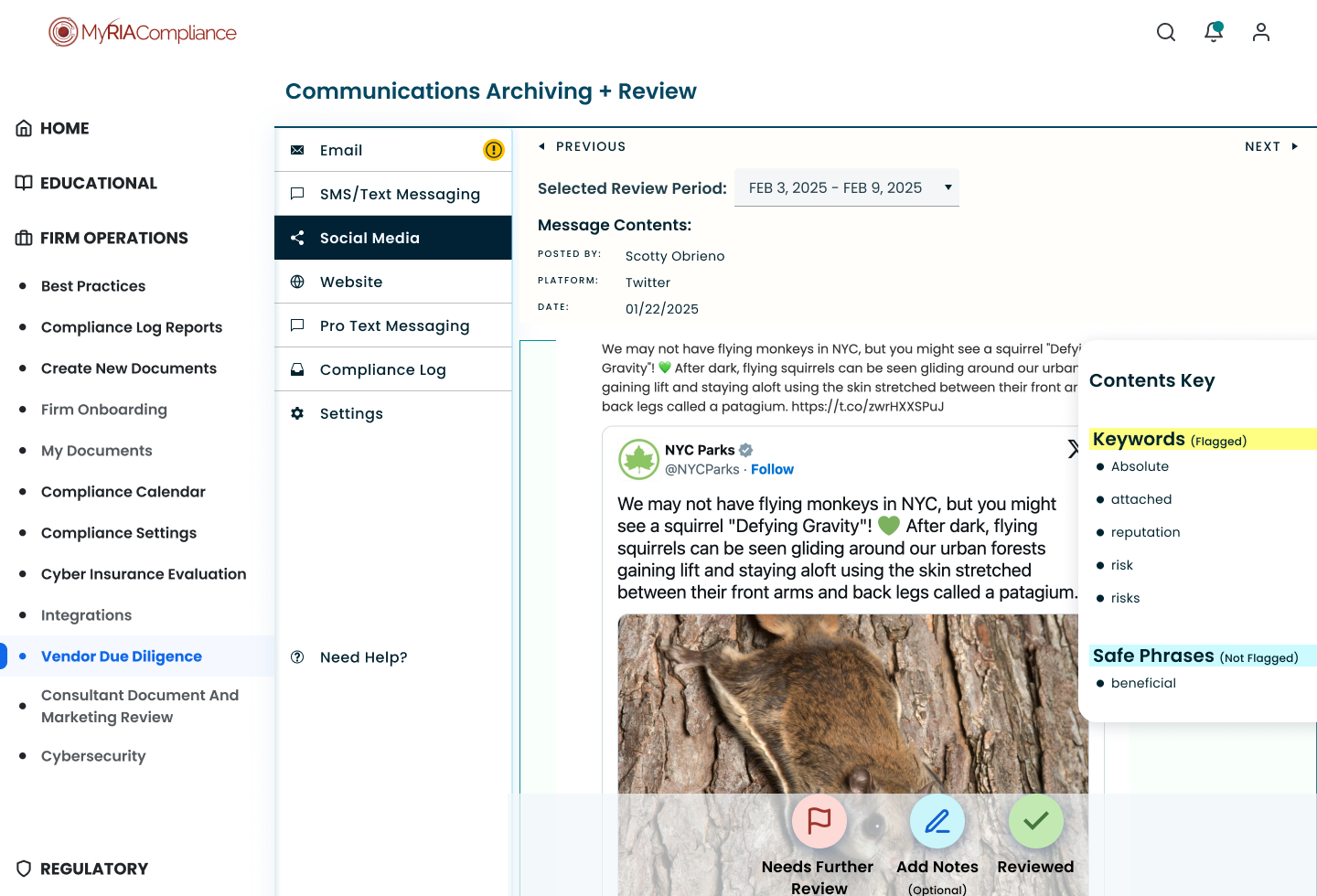
Another major update was improving the visibility of the main CTAs. Clients mainly came to Archiving to review communications, make notes, and flag an issue if necessary. We made those actions central to the page.
I also would’ve added keyboard shortcuts to make the review process as fast as possible to get clients back to the work that matters most; managing their firms not only managing their firm’s compliance. It took a few iterations to get the right look and feel. It felt risky creating the first CTAs in an overlay centered on the page. I felt it was worth it to bring emphasis to the most important actions and that it would pave the way for keyboard shortcuts to make the reviews go much faster.
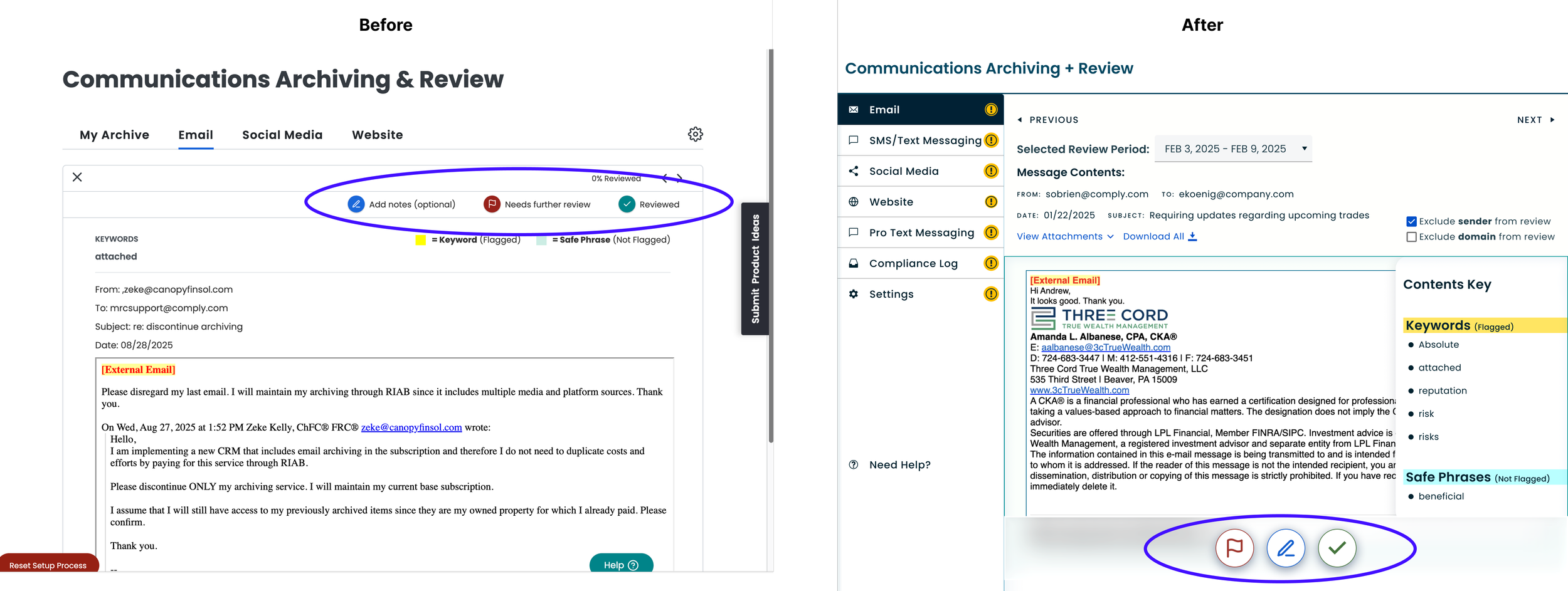
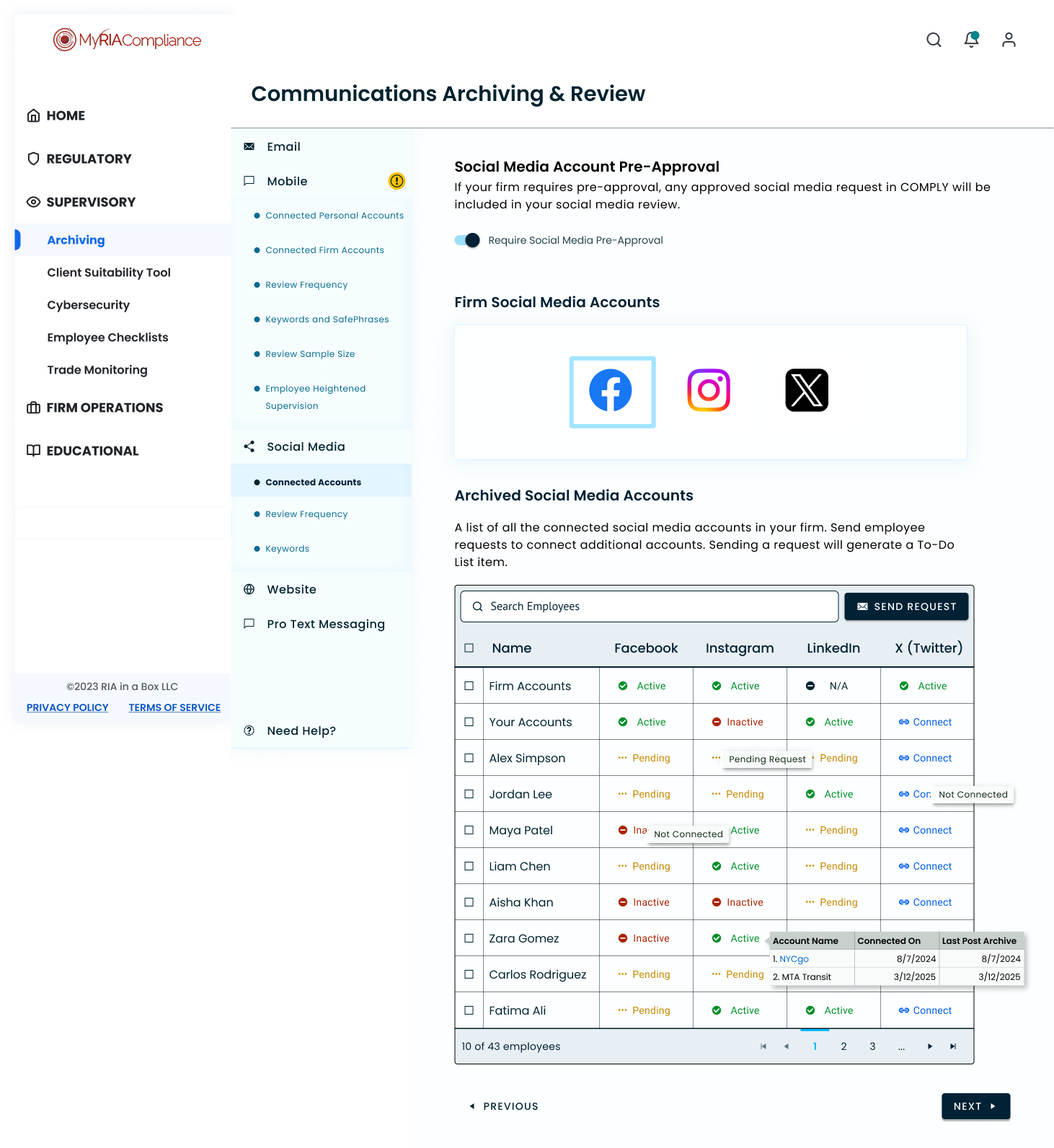
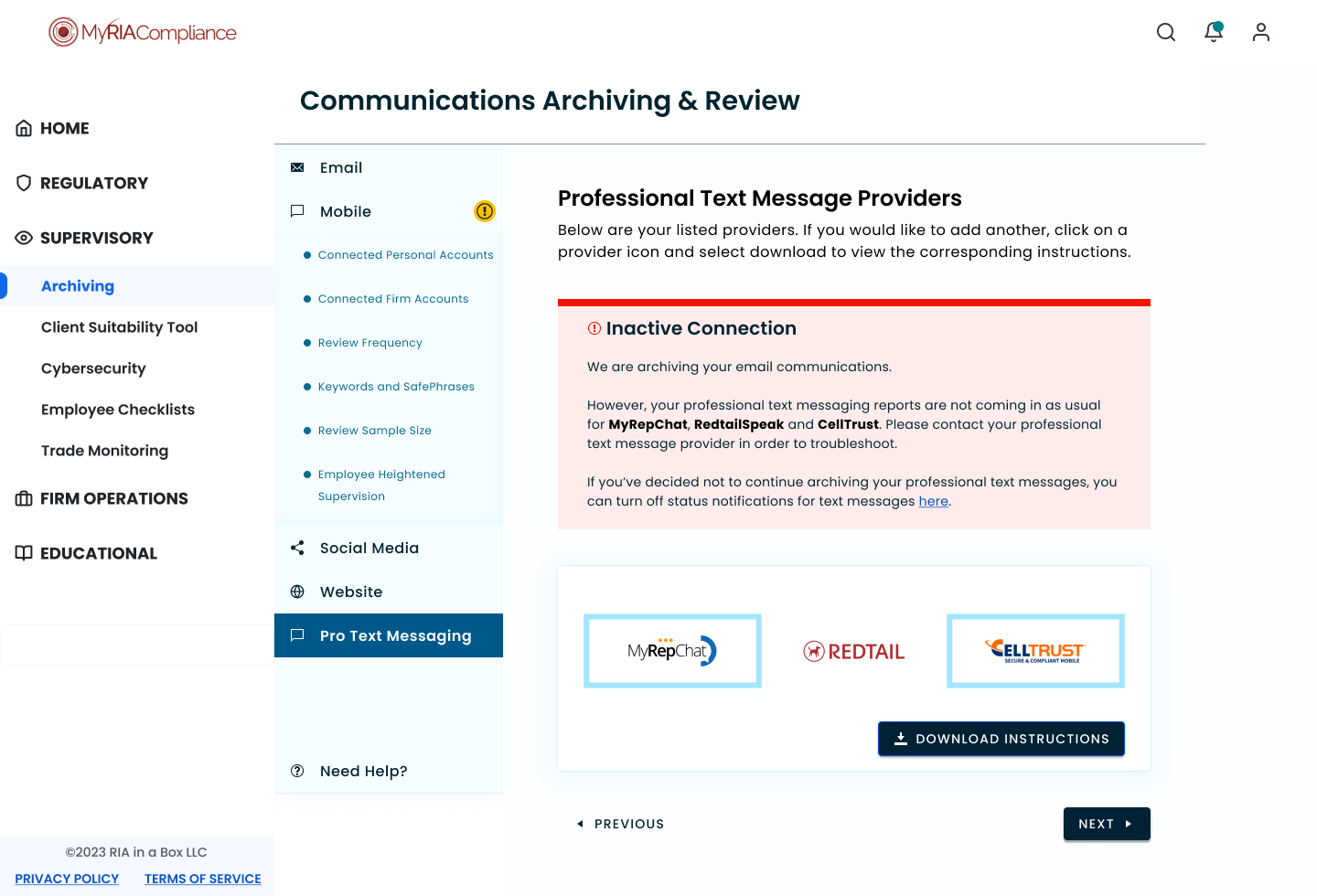
Such a complicated feature offering needed more accessible navigation. In the previous version, tabs separated the available archiving platforms. Instead I brought in a left navigation. This also allowed Comply to be more flexible with the communication types supported. They would be able to fit a lot more communication types this way, and could create broader categories if necessary down the line.
Deliver
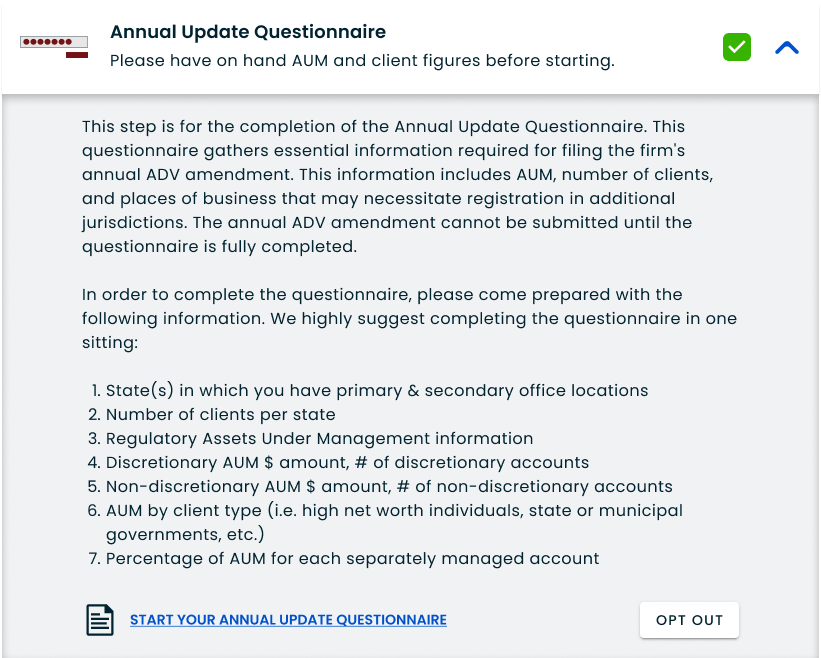
Our goal was to do a complete redesign of the product, bringing it up to speed with the look and feel of the newer pages of the platform. We also wanted to add functionality that our clients were widely requesting and that our product manager had identified in some key competitors. The main content was missing helpful contextual information, and we were missing important capabilities that had developed since launching the first iteration.
The improvements were centered around centralizing the different archiving actions and settings, consolidating the design and standardizing it across the platform in a way that aligned with the rest of the newer product pages.
The project experienced many business related challenges. I worked on it for 6 months as a lower priority item. The product performed well during this time, continuing to grow and it was then accelerated by leadership. That acceleration was only focused on development and I was vocal about my concerns after hearing the announcement. Though my designs were modular, there were many one off components and brand new elements that needed to be created solely for archiving. Also, due to the modular design approach, the dev team was able to rapidly complete pages, cloning the same assets I was also reusing from design to design and they caught up quickly.
In order to stay in lock-step with our developers, I requested to join weekly checkins with the product manager and the dev team. I also kept developers aware of any important updates on Microsoft Teams, including video walkthroughs sharing my screen and annotated dev mode links. In this way, I always knew what dev was working on and what was needed, and was able to pivot to different arms of the product several times.
Document organization had never been more important in a project before. I kept everything clearly labeled with finalized dev ready screens at the very top of the file’s pages. From its beta launch, I got comfortable with dev mode on figma, encouraging the team to explore the capabilities. Within a year, most developers preferred using dev mode in figma and I was able to leave and find comments with certain devs. Best of all, it cut down on a lot of back and forth and discrepancies between the figma screens and their initial deployment.
Though not ideal, I was extremely proud of the way we all came together as a team. We all understood the pressure to ship a quality product and made it work to get it delivered on time. Developers became comfortable using dev mode in figma while I adopted multiple ways to communicate with the team and better understood the real impacts of business leadership.
Reflection
There was a lot that I learned from Archiving. Not only was it the largest redesign I had ever worked on, it was also the messiest. I was grateful that I had a good habit of organizing my files but I truly learned how critically important it was to do even when time felt short. Deep organization only ever saved me time, especially when I had to handoff or when I returned to my work months later. Being able to validate design decisions later by tracing it to a documented note is priceless.
I also felt that we needed to focus more on client needs during this project. There were issues figuring out vendors to build out new functionality, that was out of everyone’s control. However, the accelerated timeline only hurt the overall delivery of the product. There wasn’t as much room for testing as usual, and some designs were rushed, such as releasing before rebranding even though the entire company had changed their brand identity for the third and final time.
I’m still incredibly proud of the work I did on Archiving. It features some of my cleanest designs yet. I created a powerful table component that worked for multiple platforms and became one of the first finalized components in Comply’s design system. I became a lot more flexible as a designer and more confident in my ability to advocate for users while understanding deeper business needs that impact project outcomces