Redesign: Client Renewals
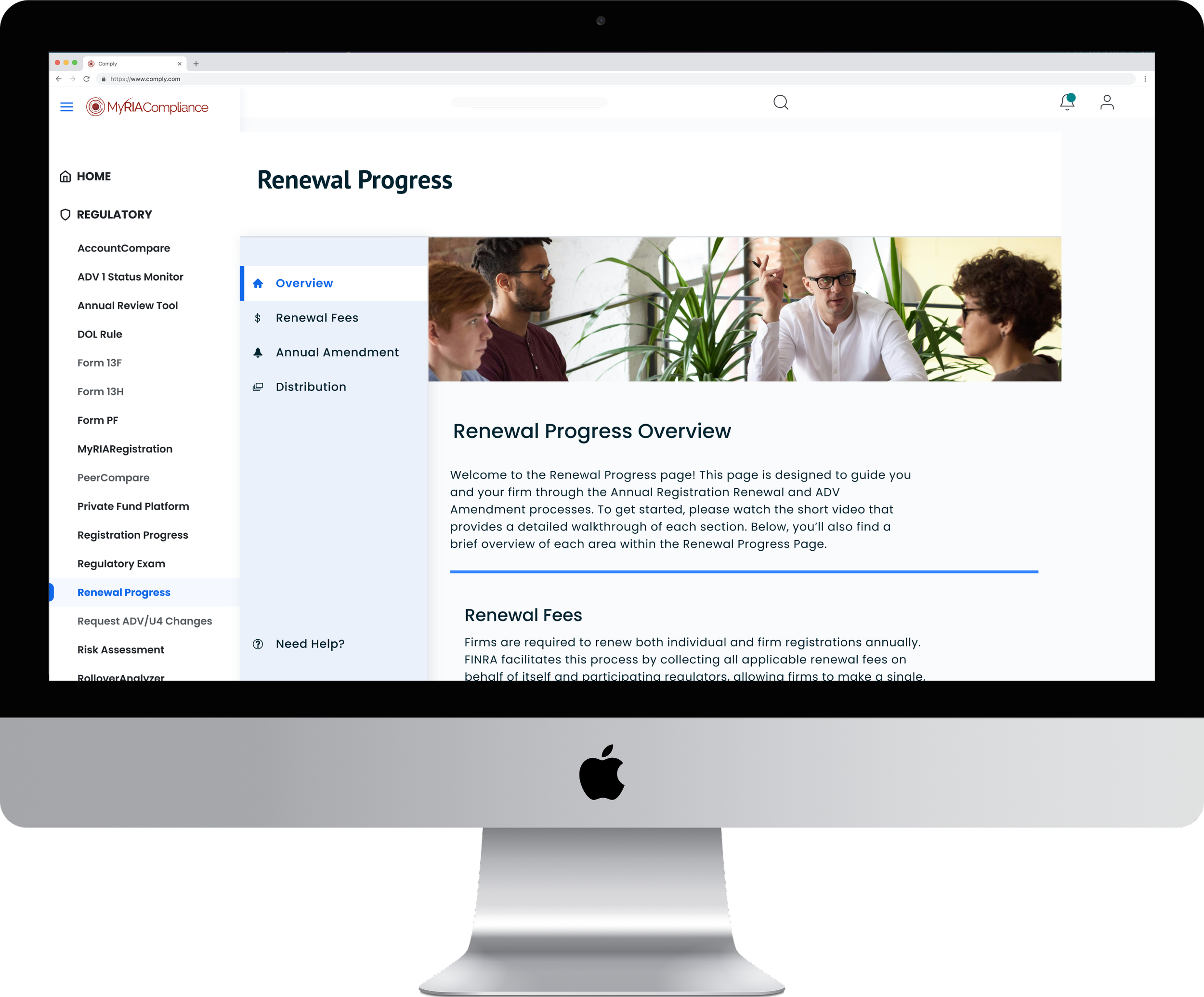
A comprehensive redesign of client account renewals executed seamlessly.
Client
Comply
Team
1 Designer + 1 Lead Product Manager + Client facing subject matter experts
Duration
Q2 2024 – Q4 2024
Roles
Design Strategy, Sketching, Workshopping, Brainstorms, UI Enhancements
Overview
The Renewals process impacted each returning customer within the Comply ecosystem. Therefore, having any issues with this arm of the product could affect future sales or erode trust. I worked closely with the company’s Renewals team who were responsible for helping clients renew their yearly product subscriptions and licenses.
The Challenge and Objective
RIAB Renewals hadn’t undergone updates in years, almost a decade. As you can imagine, user needs shift over time and there are always new problems to solve. Now imagine that none of those updates were prioritized in years! Understandably, the Renewals team were strongly requesting product support to make important updates that would affect every person wanting to continue with RIAB/My RIA Compliance year after year.
The goal was to streamline the process and reduce client confusion while updating the look and feel. We wanted it to be more modern and easier to interact with.
The Design Process
Double Diamond framework
Discover
For our initial meetings, we had a conversation as a team while I took notes and later recorded them. I listened to the main problems identified by the Renewals team. These included issues that impacted their efficiency but also serious customer pain points that were beginning to negatively impact the UX and satisfaction with the company as a whole (our net promoter surveys would regularly reference the painful renewals process).
I listened to the main problems from the team, issues that impacted the team’s efficiency but also serious customer pain points that were beginning to negatively impact the UX and satisfaction with the company as a whole (our net promoter surveys would regularly reference the painful renewals process).
Define
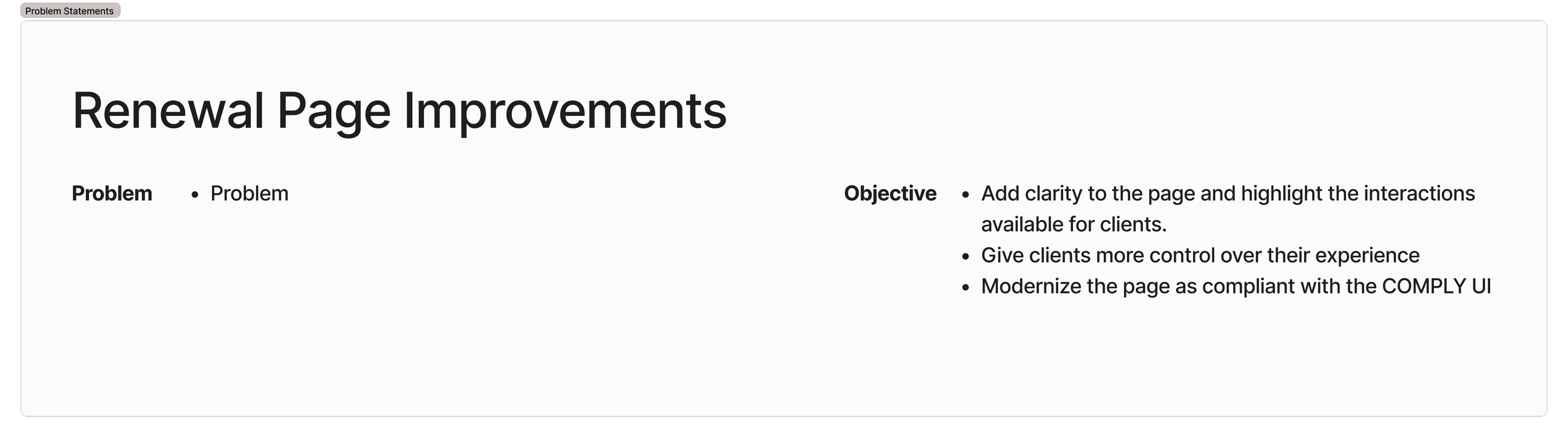
It was difficult to identify the main problem at first, but there were several user needs to satisfy and various objectives in mind for the end result. I quickly got a sense for what was out of scope, the next steps for the project and other helpful notes.
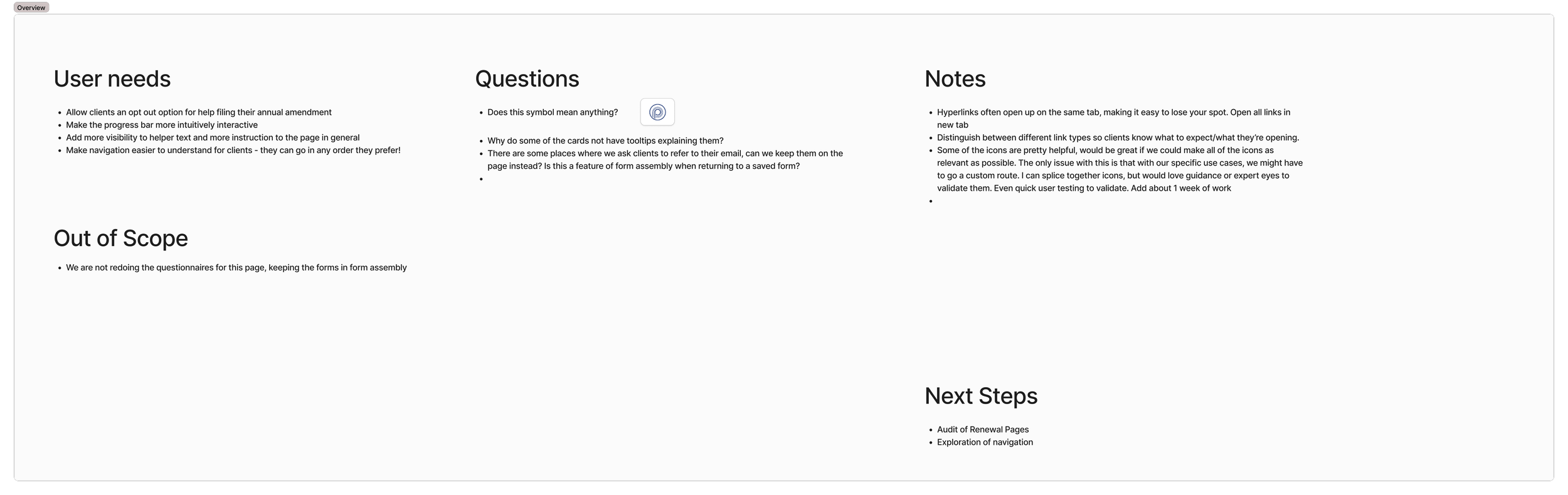
I noted user needs, major questions, and scope in Figjam for reference.
After many why questions later, I was able to reframe our efforts into one problem statement identifying the gap, orientation, Impact, and Importance of the problem that we were trying to solve.
My next step was to conduct a service safari of the product on the website. Navigating through as a typical user would I also attempted to break processes, looking for existing dead ends or issues with the desired flow. As always, I took screenshots as I went, adding each page in sequence in figma to capture the current state.
Whenever there were more granular actions to capture, I left a comment for my future self and coworkers.
Develop
The Renewals team emphatically expressed that they wanted their product to look more like the newer and more modern site pages that I had worked on. Based off of client feedback, the Renewals process needed to be easier to navigate and easier to conceptualize at a glance for clients.
A secondary nav was an easy choice, as it allowed clients to clearly see the steps they needed to take as well as allowing them to work on different areas at the same time. This ability to multitask was a key part of the process that was previously hidden because the old horizontal tab structure made the process seem linear.
Building off of the secondary navigation, I experimented on different layout styles, referencing my latest screens. At this time in Comply’s history we had a style guide but no page templates or guidelines. In order to keep the designs as consistent as possible, every new page became an early template for me. I would make sure that UI elements like gap, padding, header size, card layout, and more were identical in our new designs. This kept work streamlined and scalable even without a fully fledged design system.
A year later, I began properly standardizing this process by creating several page templates: detailed forms builder, site wide popup styling, and more complex pages such as the ones for continuing education material or for conducting risk assessments. If you’d like, you can read more about this in my Design Systems case study.
On the next check in meeting with the team, I showed the different page options I had developed.
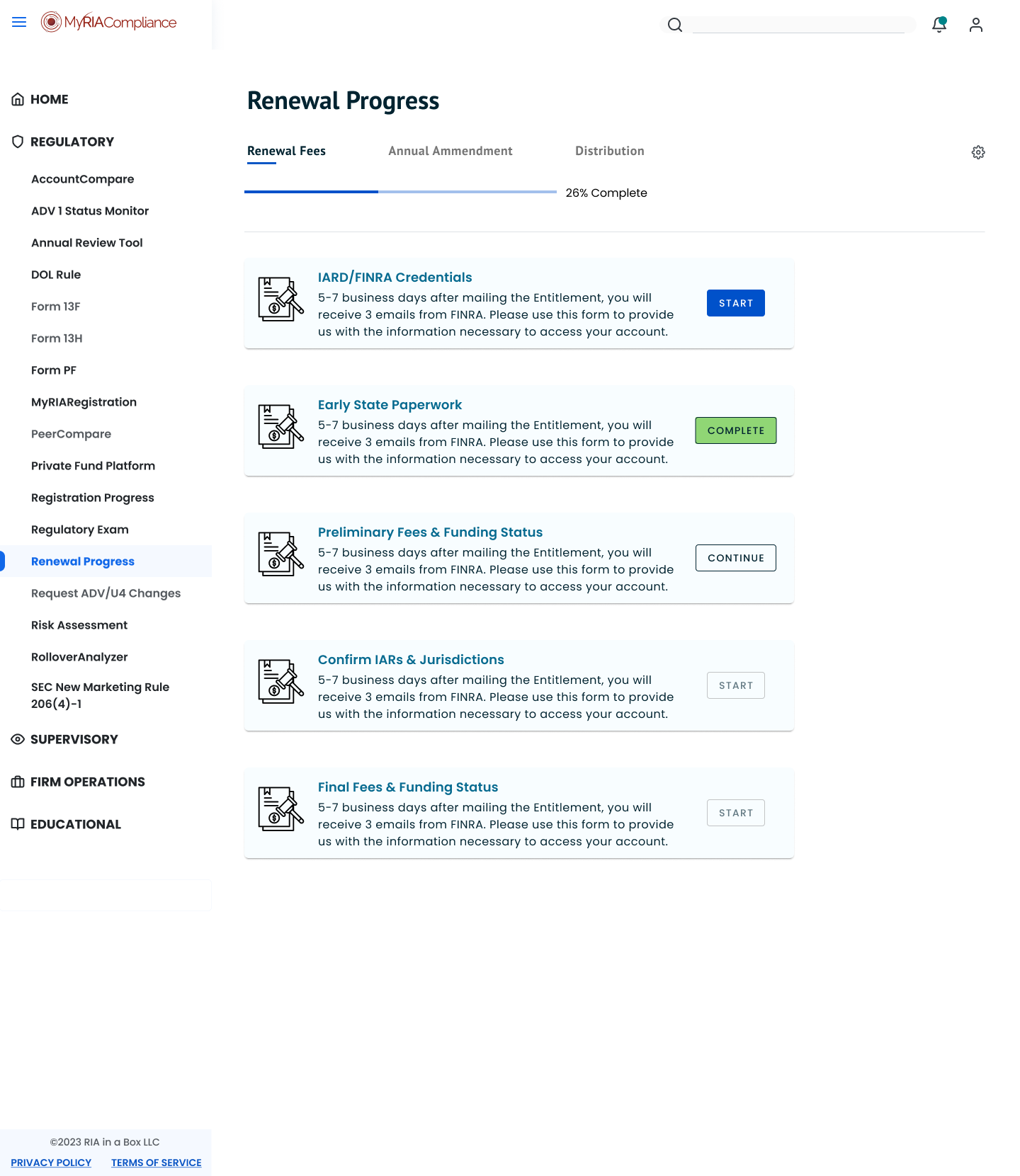
Tab Navigation Layout
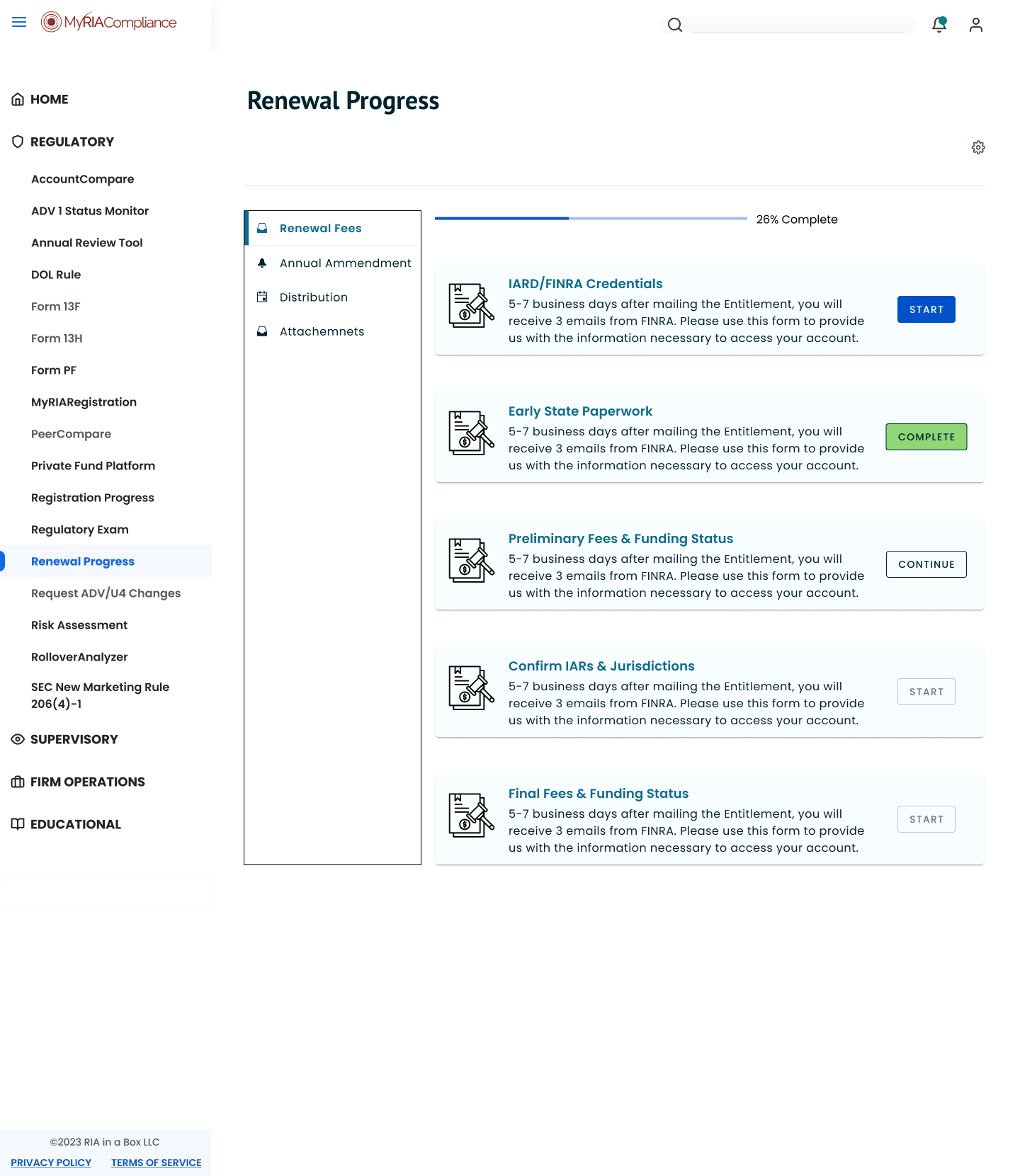
Left Navigation Layout
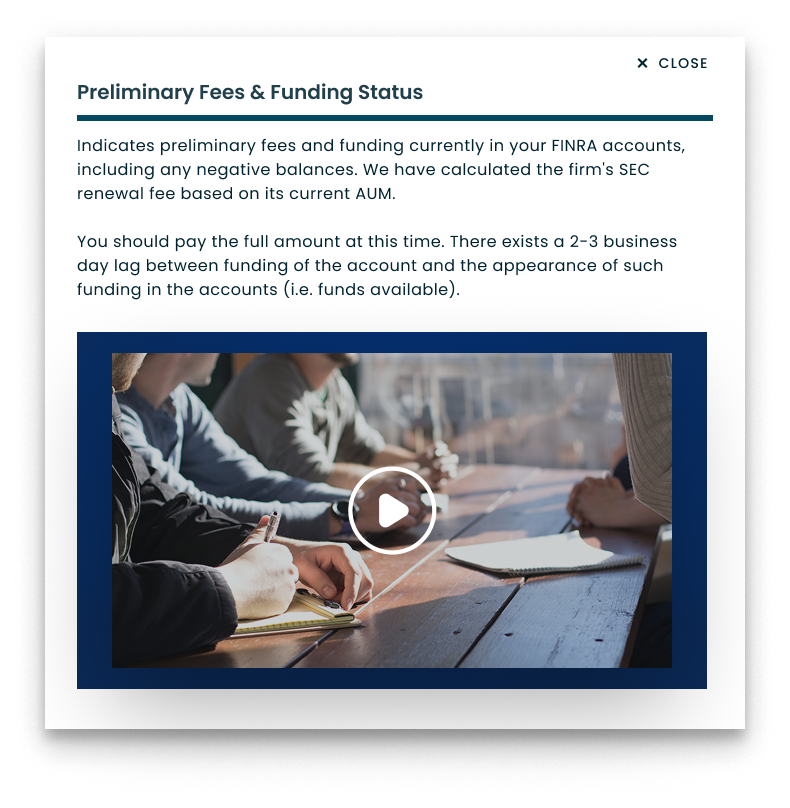
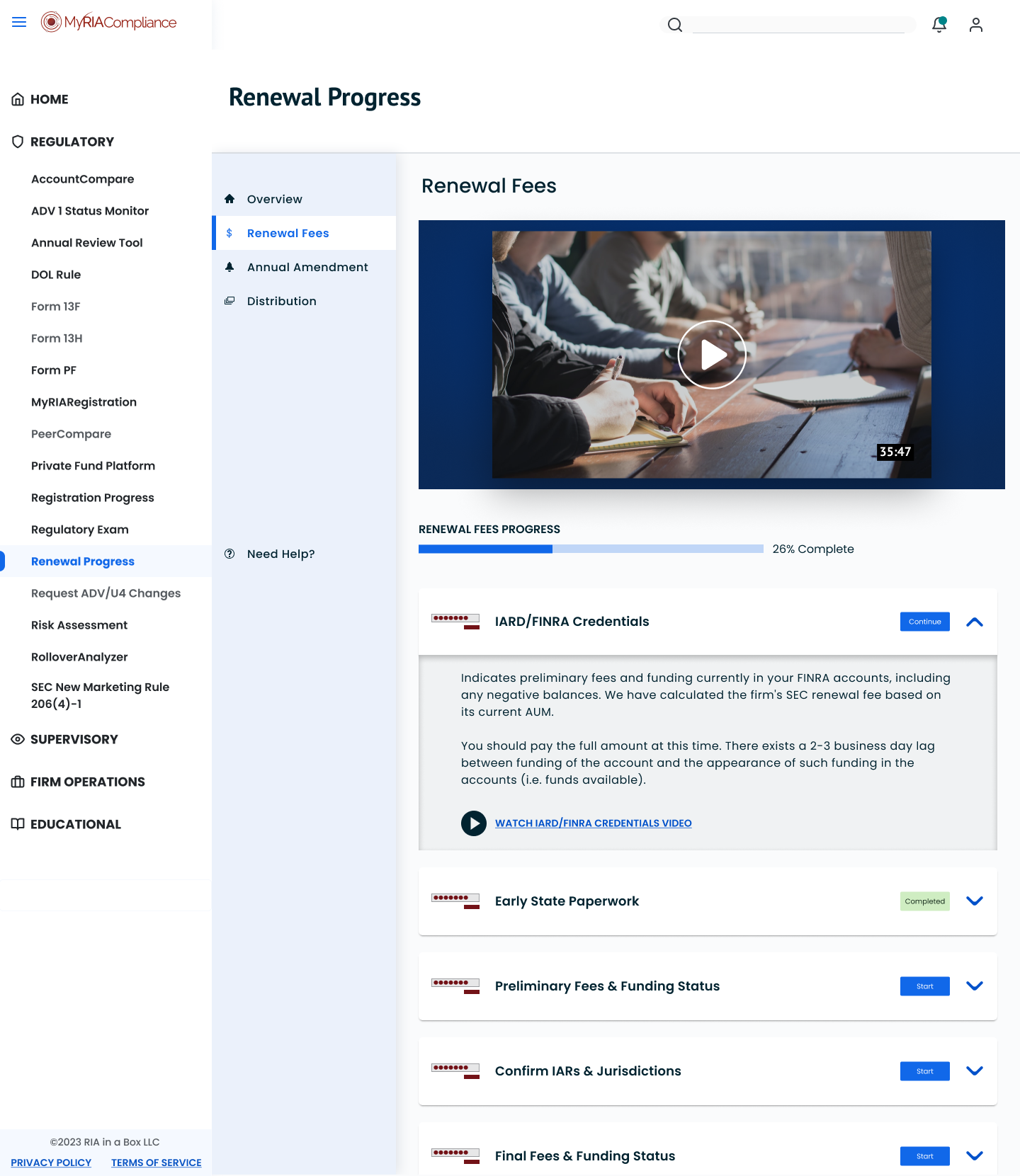
The strongest reactions were given to pages with some media. The Renewals team had a large inventory of help and walkthrough videos that were previously difficult to access for clients. Clients would frequently seem shocked when shown where to find help videos and tutorials. To fix that, I suggested we instead host those helpful videos in context embedded on the page instead of hidden behind multiple clicks.
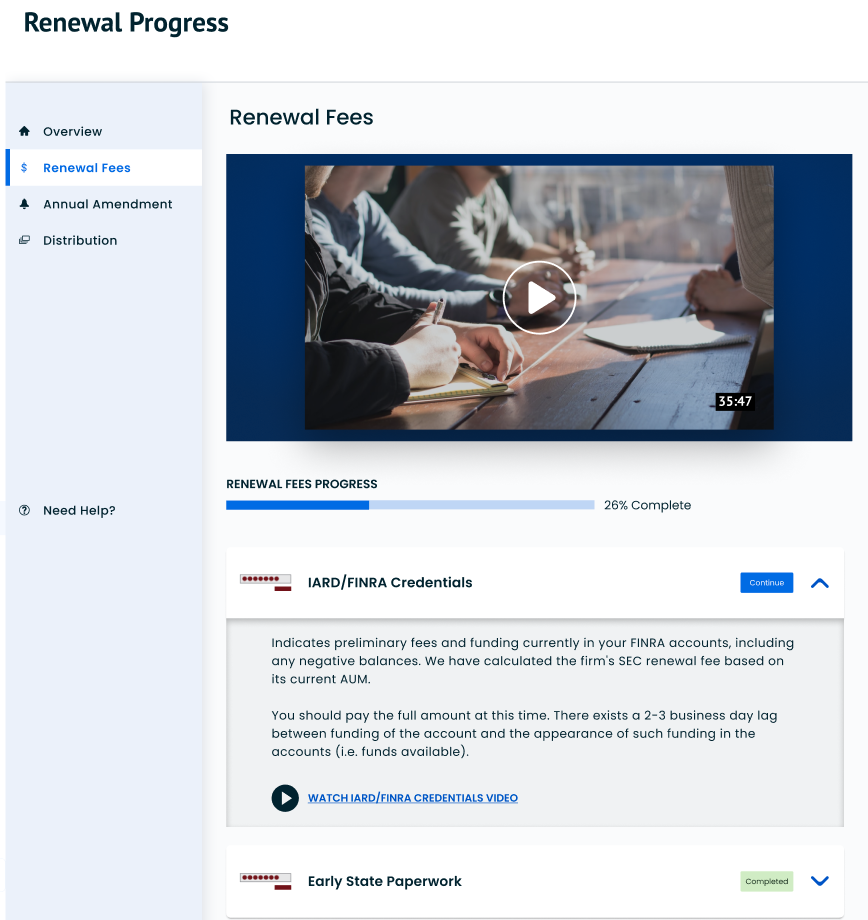
Changing the design to include a large overview video as well as shorter videos explaining each step. These videos already existed but were previously hidden in dialogue boxes.
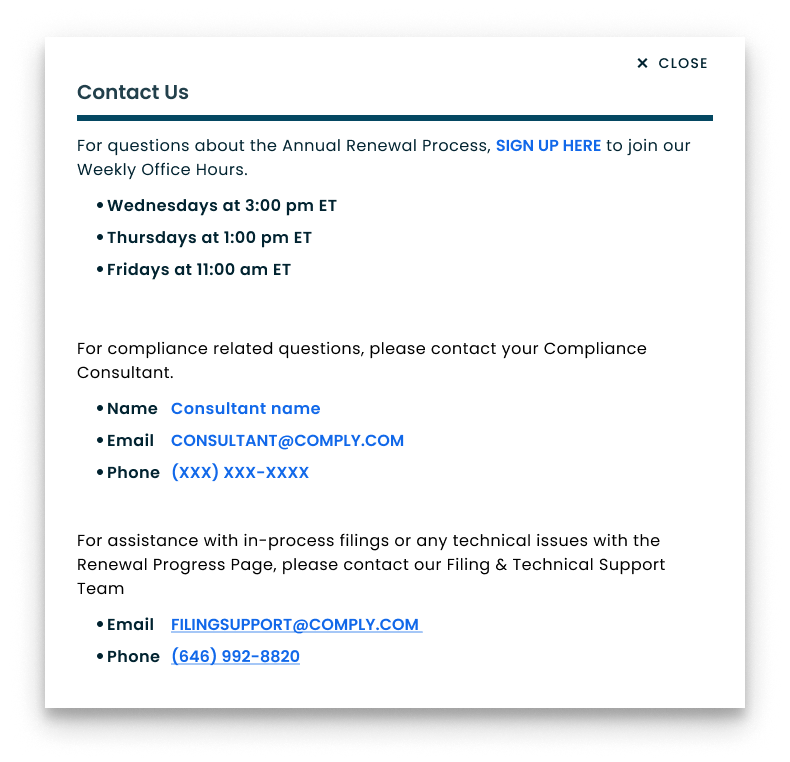
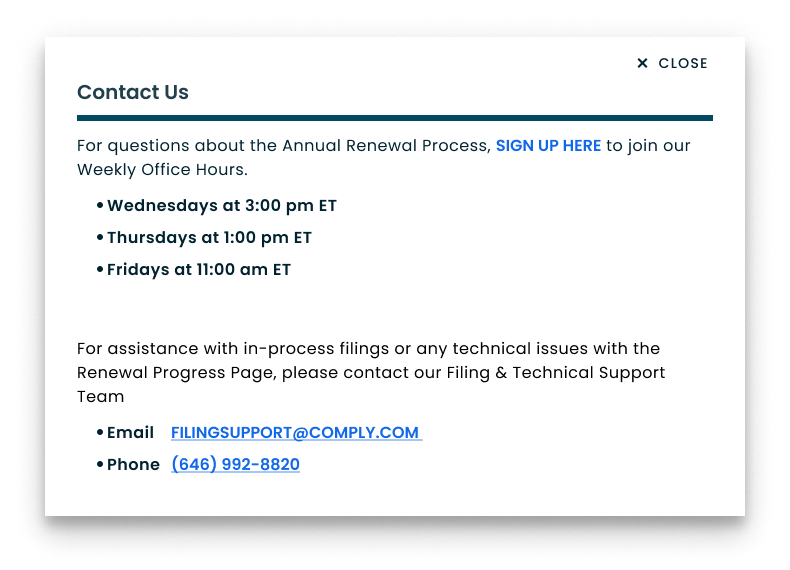
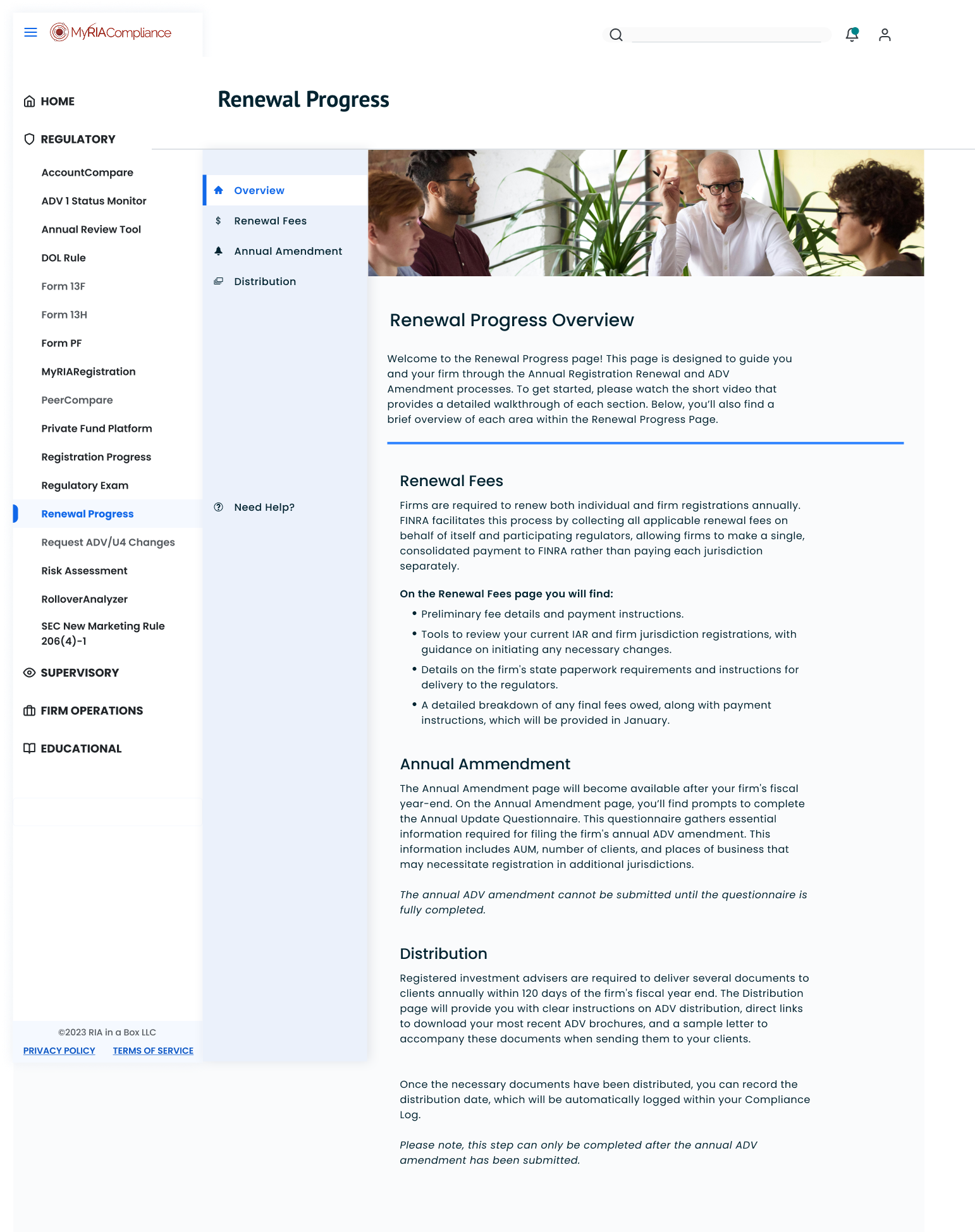
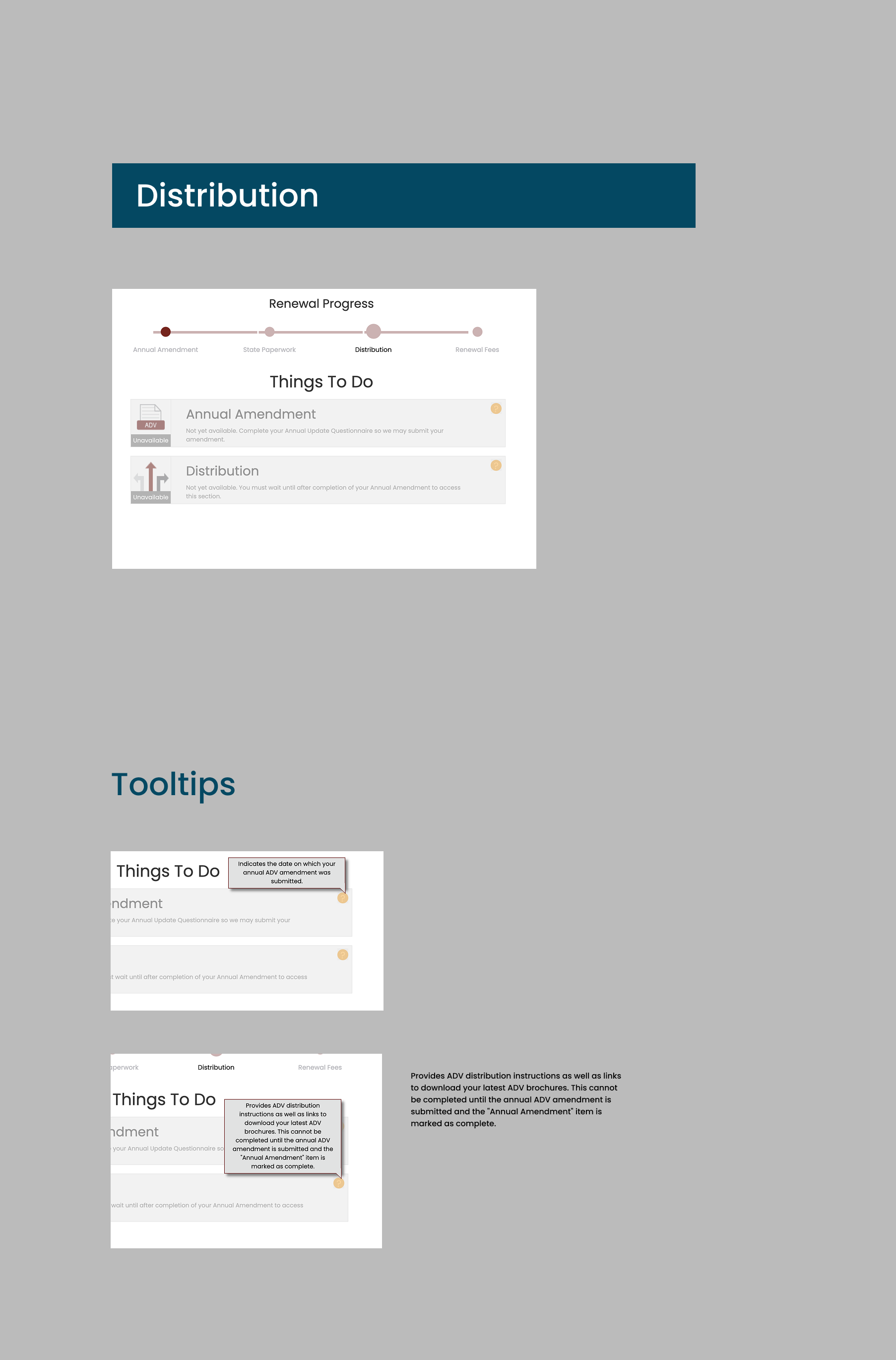
I also added more explanatory text describing the main goals of each page and the resources provided. Much of this text was hidden behind inconsistent help button question marks throughout the page.
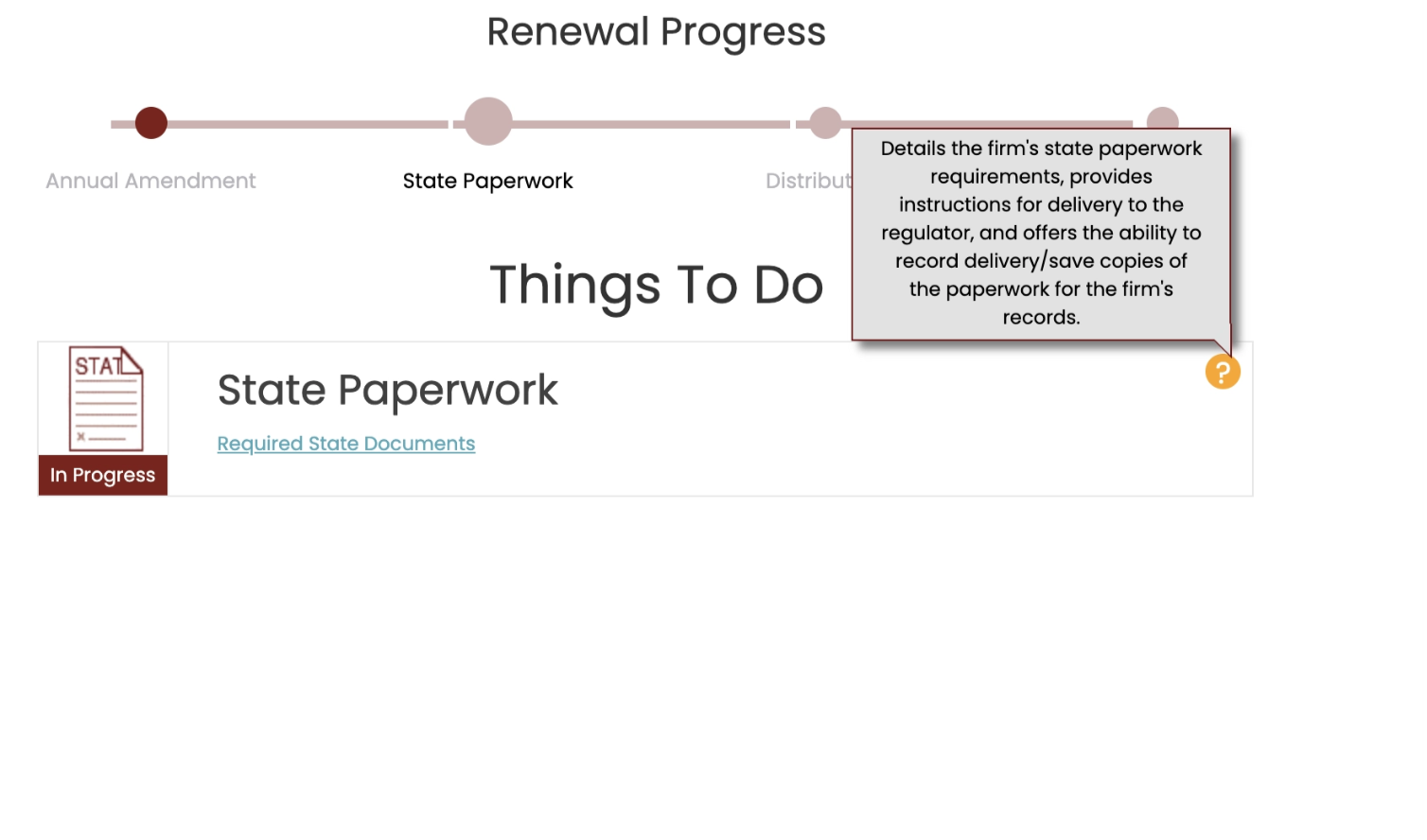
An example of the previous way important contextual information was displayed to clients. Hovering over the orange question mark icon would reveal the grey tooltip.
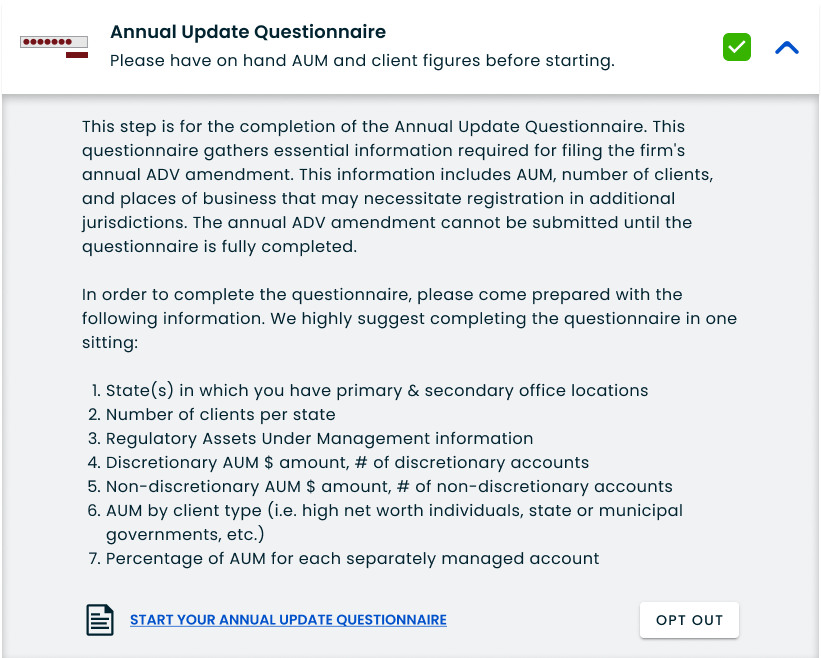
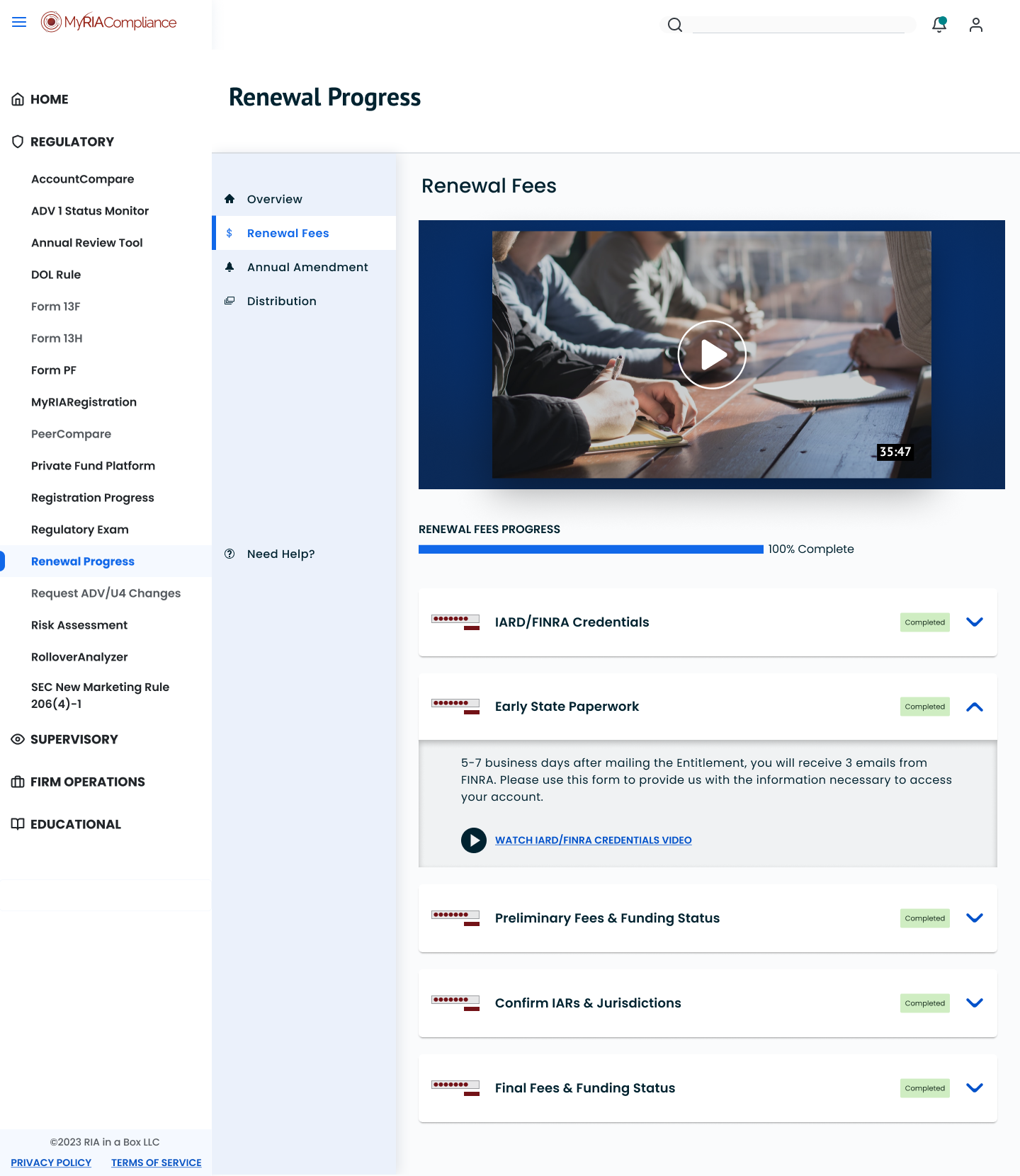
Another important goal was to make the process of disclosing information more straightforward. The current design required a lot of clicking around to figure out what needed to be done. For this new version, I wanted it to be as easy as possible to figure out next steps in renewing memberships with Comply.
Instead of hiding important contextual information behind question mark tooltips for each step, I added the help text under each card header.
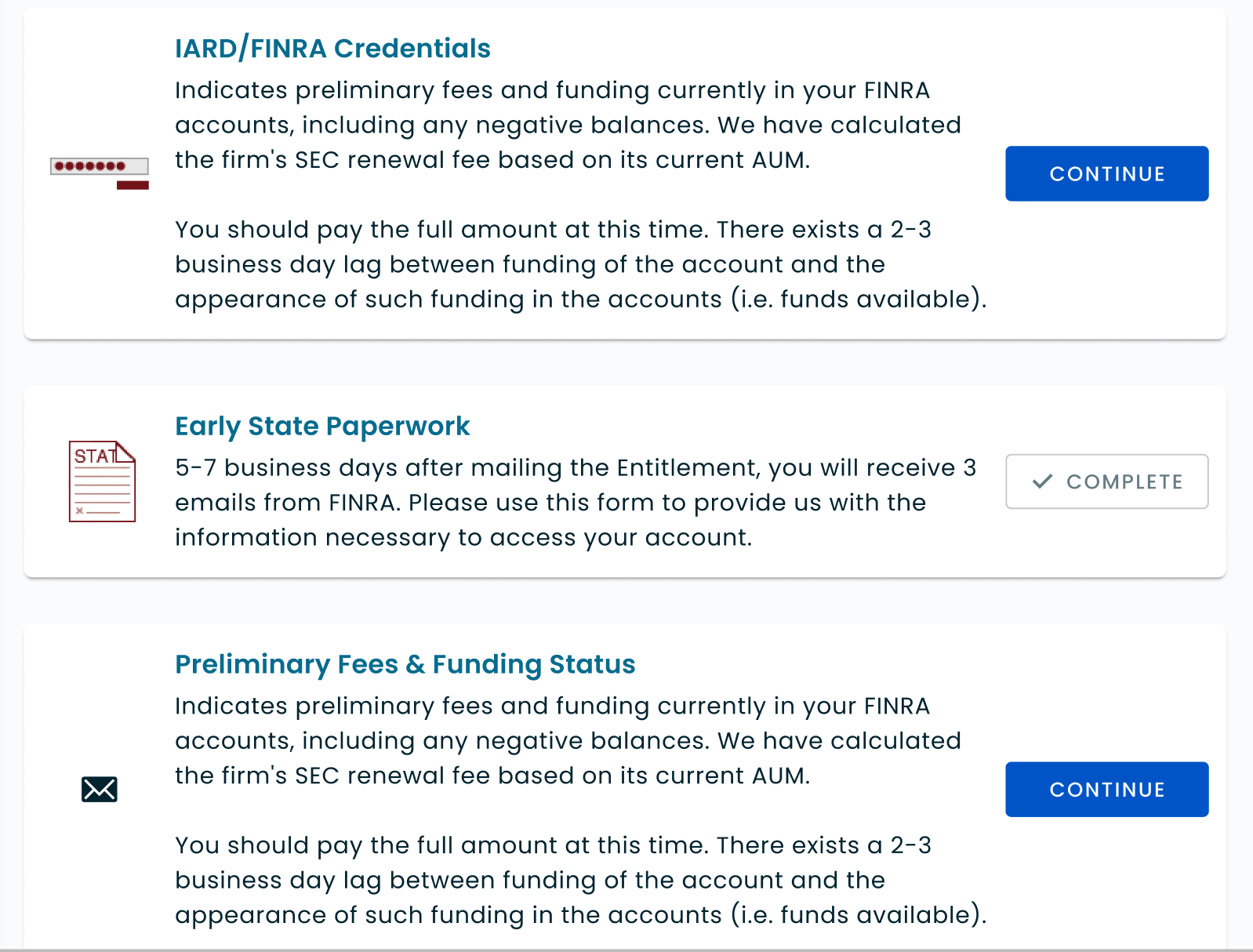
Next, I converted the minuscule text buttons to clearer primary and secondary buttons on the page. The status of each step was also changed to stand apart from the card icon where they were often getting lost due to the color scheme and placement.
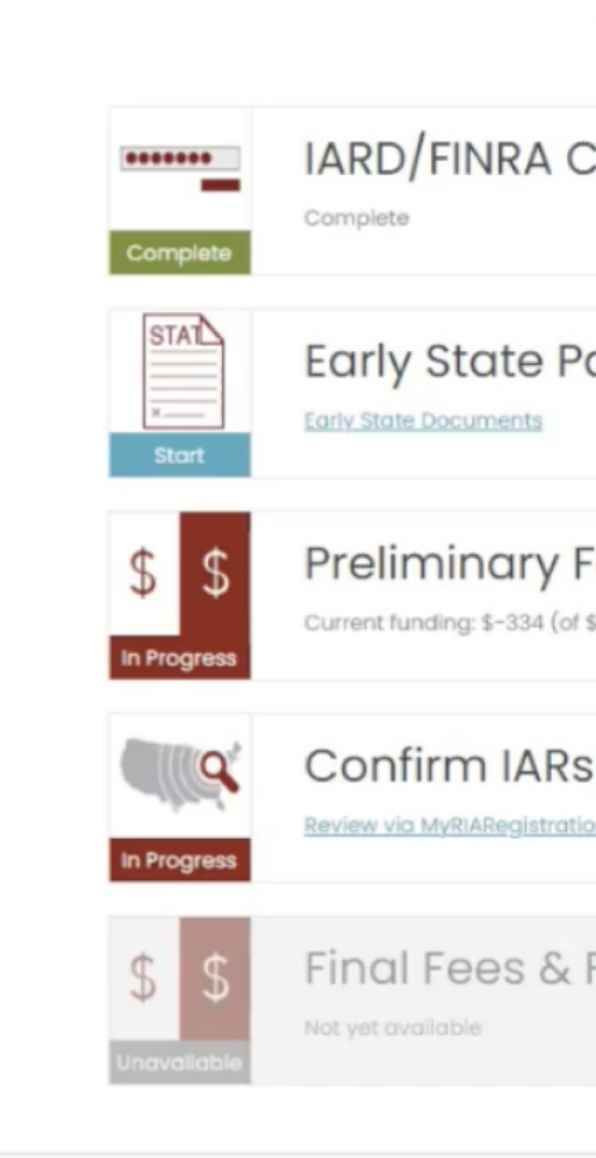
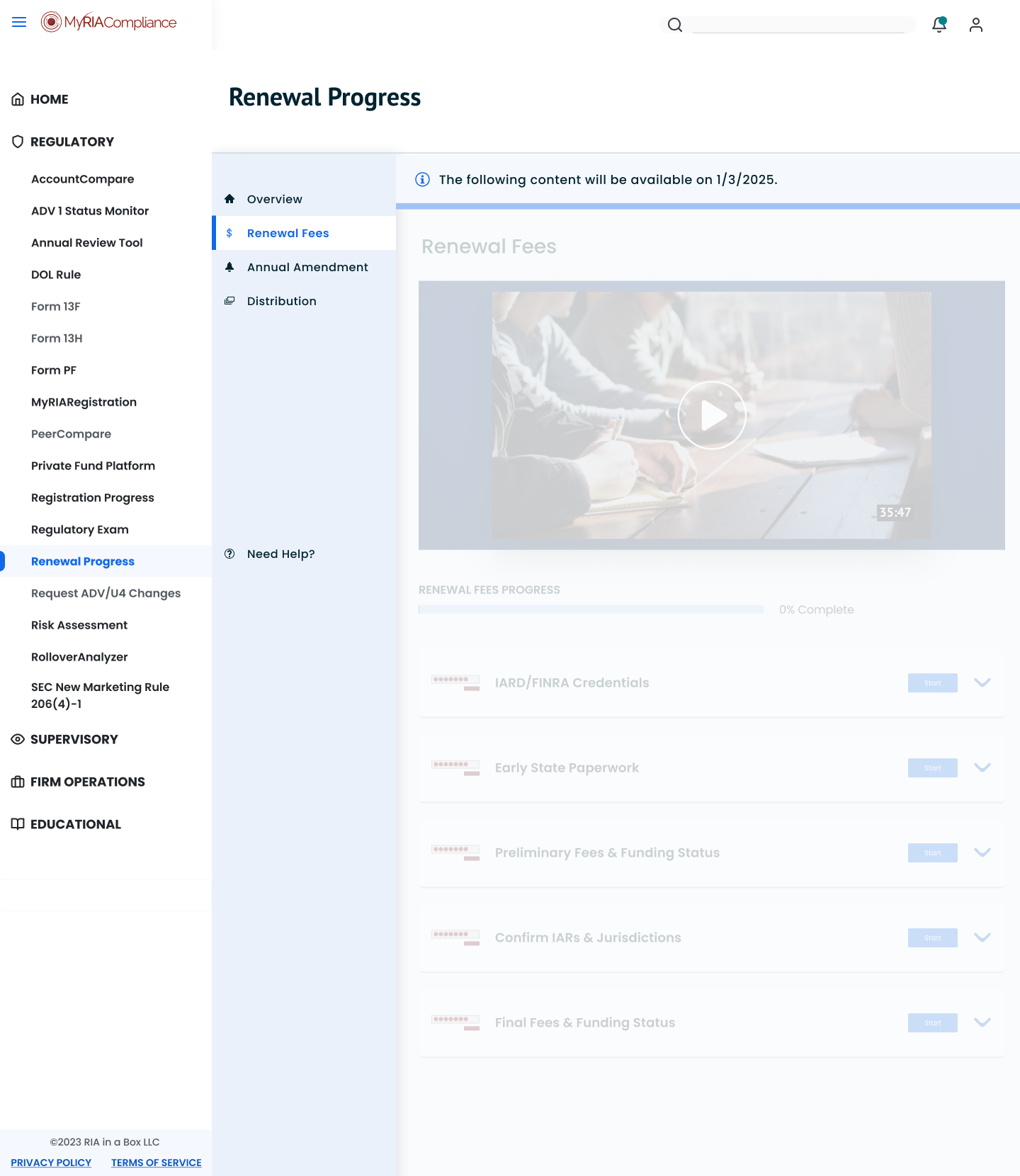
Speaking of color scheme, the old colors had to go. The burgundy, turquoise, moss green, and goldenrod were a part of the pre-merger RIAB identity. After just being acquired, there was nothing but talk of changing the look and feel of the company but the direction forward wouldn’t be clear for another two years. To prepare for these changes, I simplified the previous RIAB colors to high contrast white and blue. This not only allowed clients an easier time scanning pages for information, it also paved the way for future design changes. Two colors were far easier to update than dozens. My designs largely focused on function and clear hierarchy while reducing the number of UI variations in our colors, components, and pages.
Deliver
After completing designs, I began prepping for handoff to our development team. I annotated the changes needed. I also met with developers briefly over video or phone call and walked over the main changes verbally as well. I had different ways of relaying information because I worked with several developers and each had their preferred styles of receiving information. Some were completely comfortable working with figma and reading the annotations left behind, especially as I was consistent in leaving annotations and encouraging our developers to interact more with Figma, a tool they previously thought was only for designers. Others specifically let me know that they preferred a quick walkthrough and conversation to erase any ambiguity, especially working remotely.
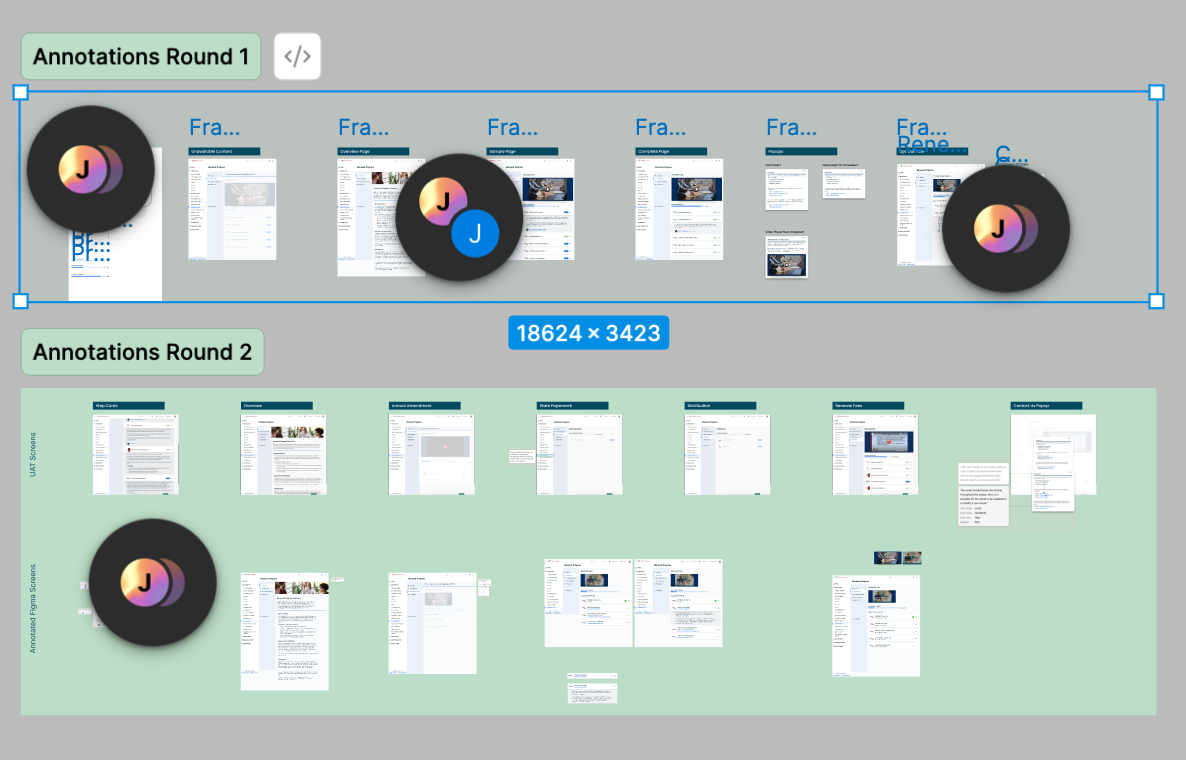
Sectioning off multiple rounds of annotations. After promoting Figma for dev use for a year, my developer coworkers were beginning to feel more comfortable interacting with Figma and leaving comments behind. This was right after dev mode’s beta version was launched.
As a designer, I strongly believe that it’s my responsibility to shape information in helpful ways for others. Knowing my audience is my whole job and I welcome learning any way to communicate clearly with my team.
After completing development, we quality tested the designs on our staging website, including some clients that agreed to do early testing. Comply’s QA process was mainly focused on making sure new features worked properly. Occasionally, Comply would include trusted clients for some quick beta testing.
After launch, we discussed improvements from releasing the changes and I received many thanks from the Renewals team for helping to dramatically reduce help requests and phone calls from clients. The team was able to use their newly available bandwidth for more important and complex client issues.
Reflection
The Renewals project was one of the most enjoyable redesigns I’ve worked on. It showed me how important it is to include all stakeholders early on in the design process. We were able to marry subject matter expertise with direct client feedback to create a product that solved all major issues the first time around. However, even though the team was extremely knowledgeable about the problems at hand, they weren’t overly prescriptive about what needed to be done. This allowed me to do my job of analyzing the problems and figuring out the best design tools to solve them.
If I had the chance to do it all over again, I would include even more direct feedback from clients. The Renewals team were very knowledgeable about client feedback so I didn’t collect any direct quotes or do any user research myself. This deep knowledge did allow us to move extremely quickly, but as a designer it seems like a good idea to always validate with users whenever time allows.Be clear, be confident and don’t overthink it. The beauty of your story is that it’s going to continue to evolve and your site can evolve with it. Your goal should be to make it feel right for right now. Later will take care of itself. It always does.